Welcome to the exciting world of cryptocurrencies, where ZebPay, one of India’s oldest cryptocurrency exchanges, offers you a trusted and secure platform to get started. Don’t delay, let’s dive right in! You only need a mobile number and an email address to register. Follow the instructions below to complete your registration process.
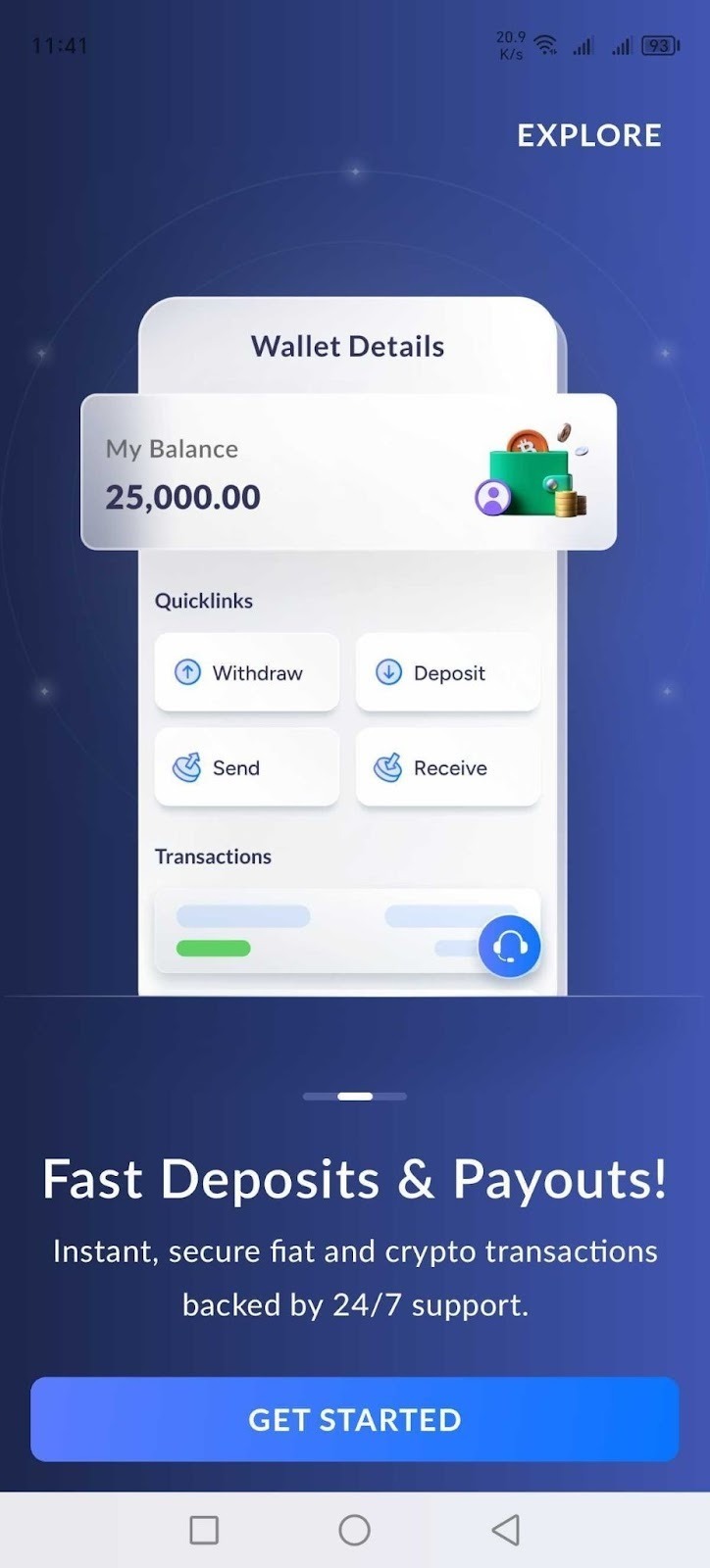
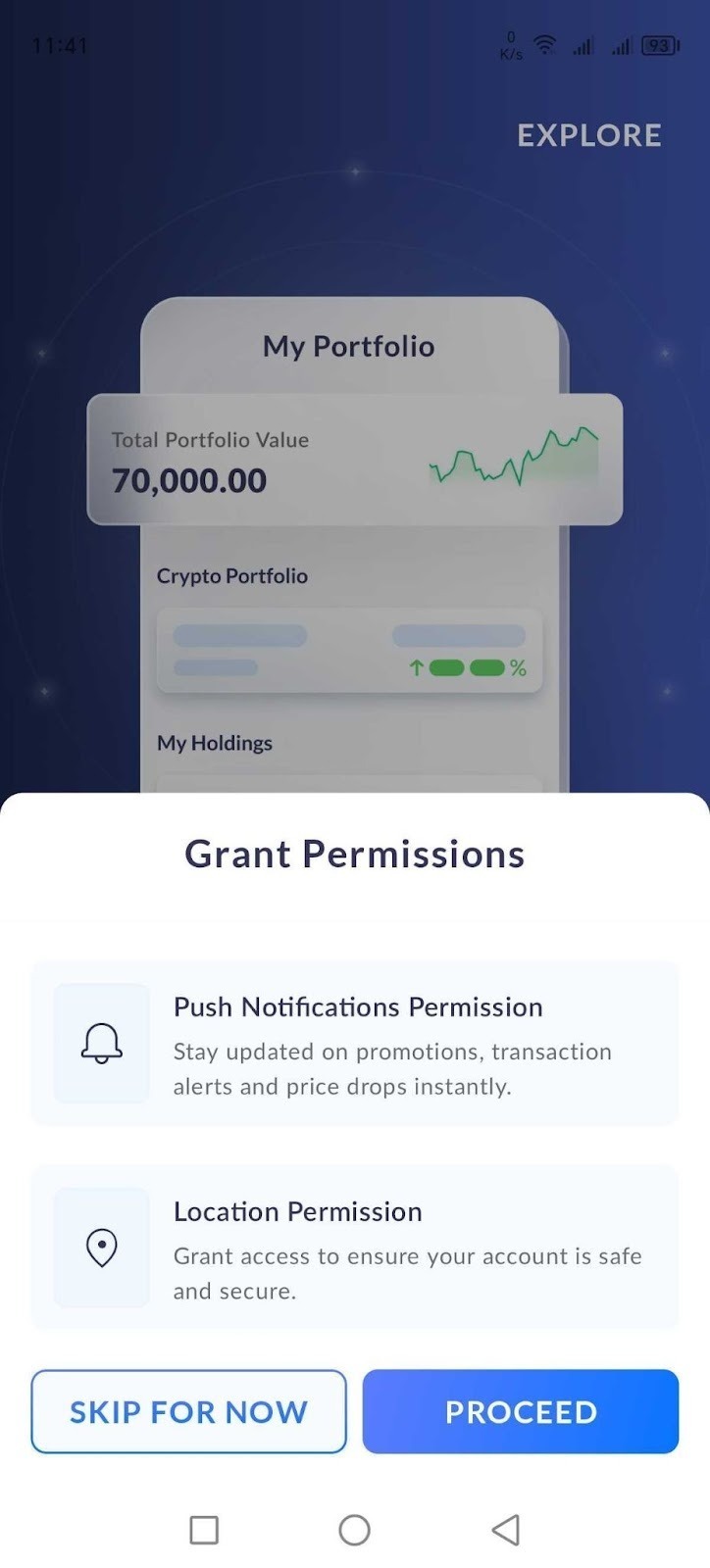
1. Click on the ‘Get Started’ on the app. For registration through our Web, please click here. Grant Permission for Location access and Notifications.
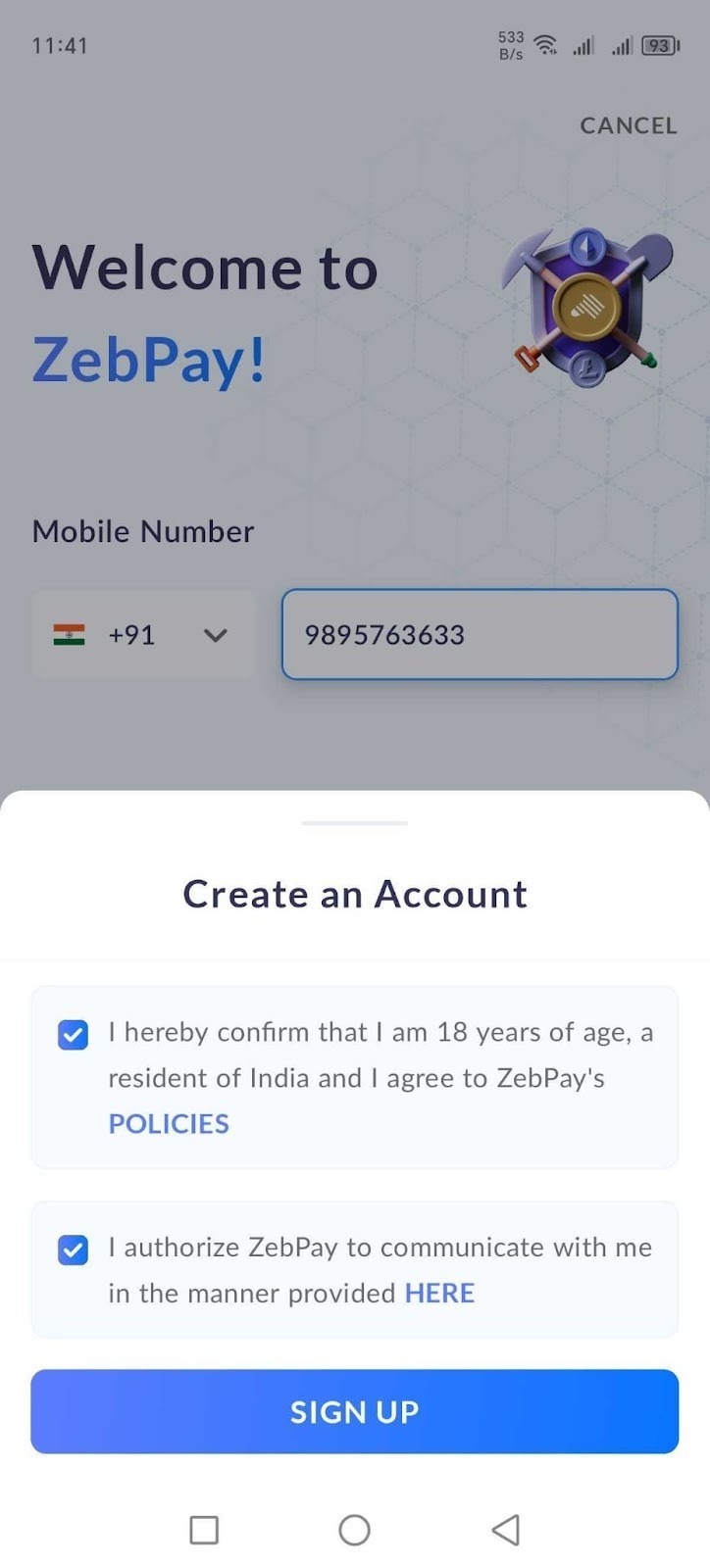
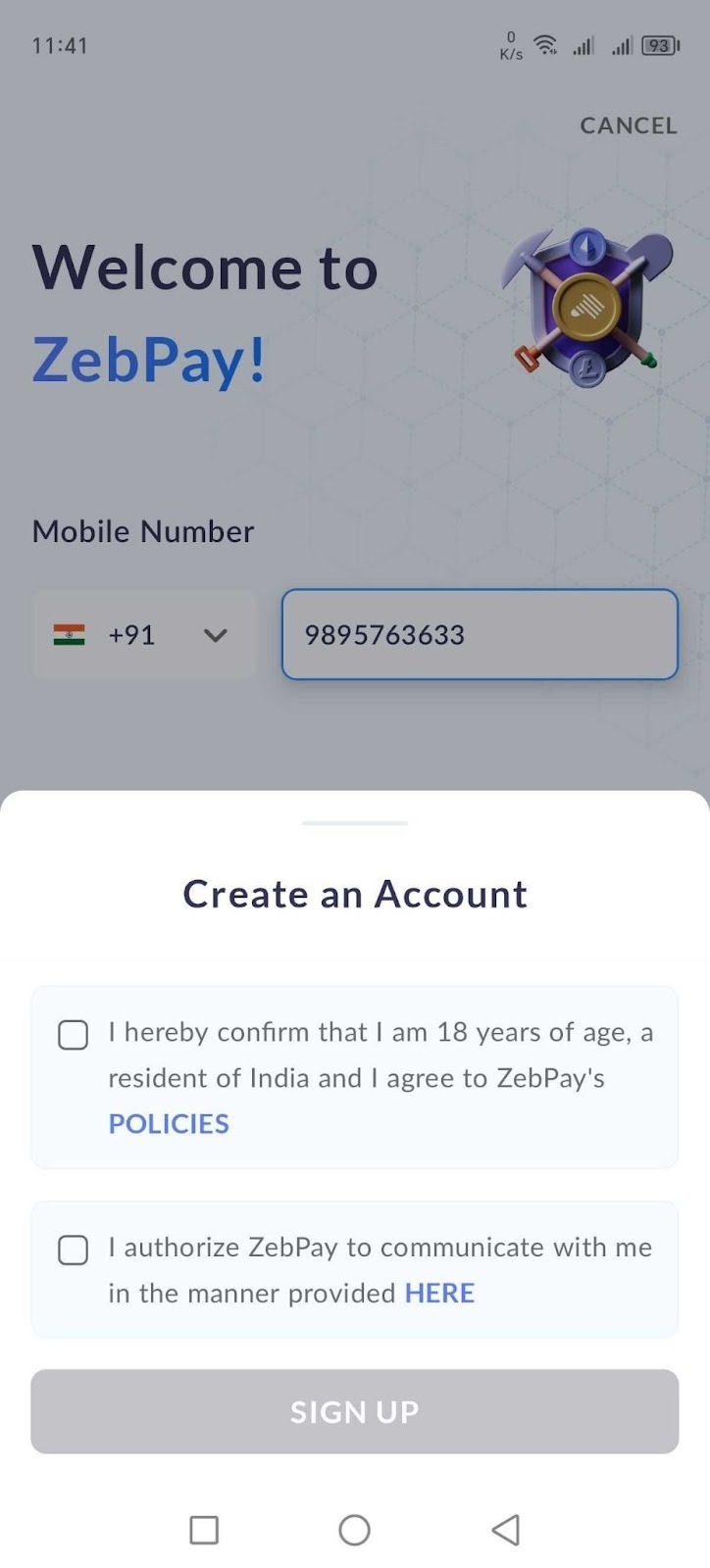
2. You’ll need to enter your phone number. We highly recommend using your primary mobile number (without the country code) since it serves as the unique identifier for your ZebPay account. Check the boxes to accept the policies and communication preferences, then click ‘Sign Up.’
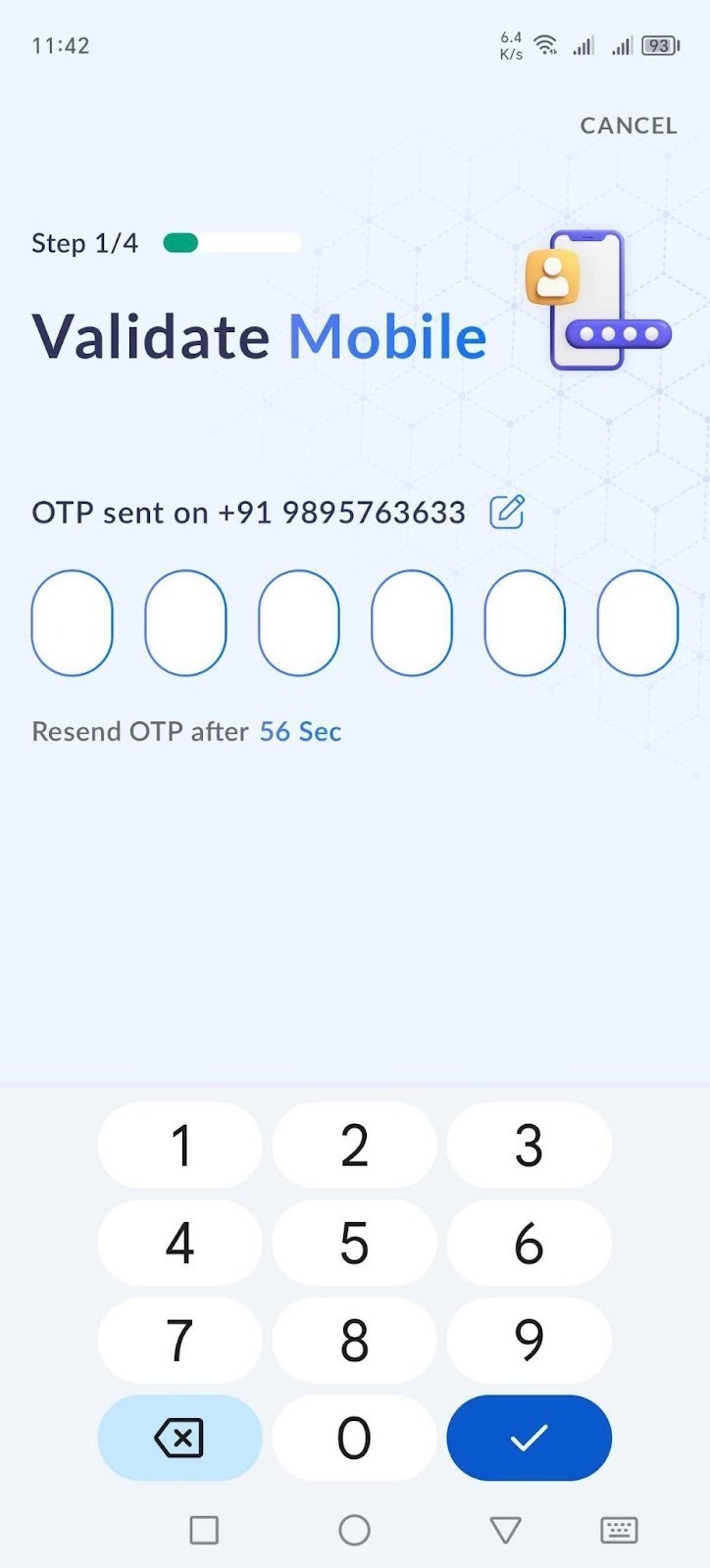
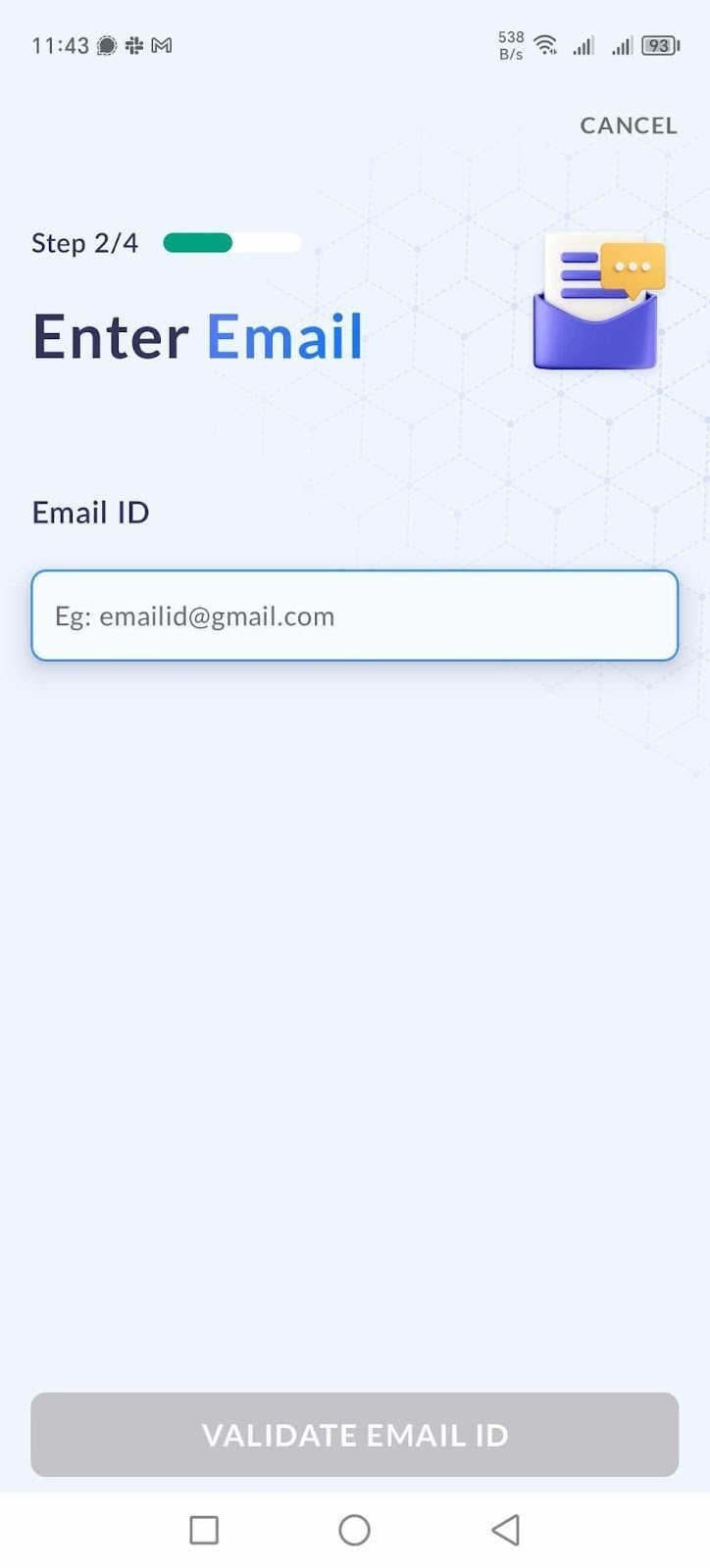
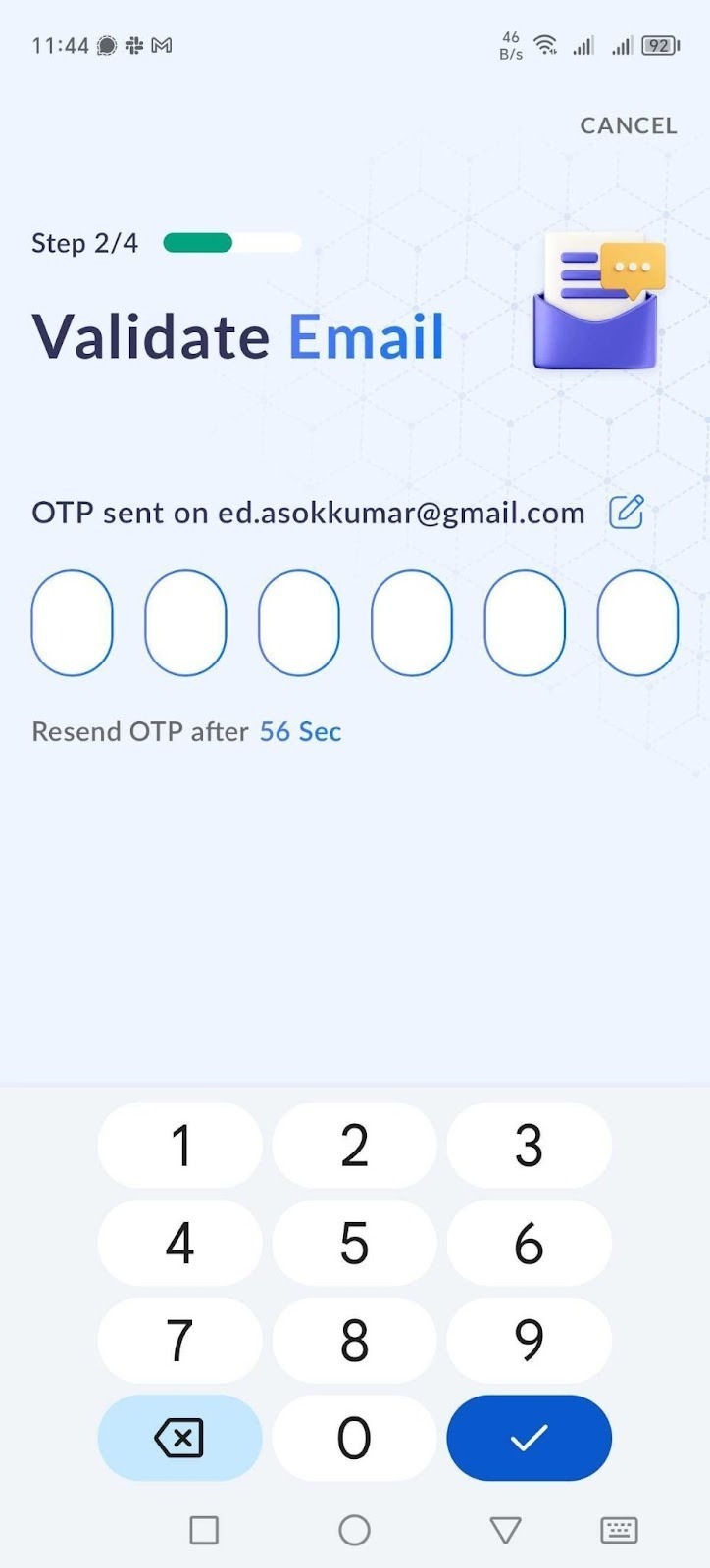
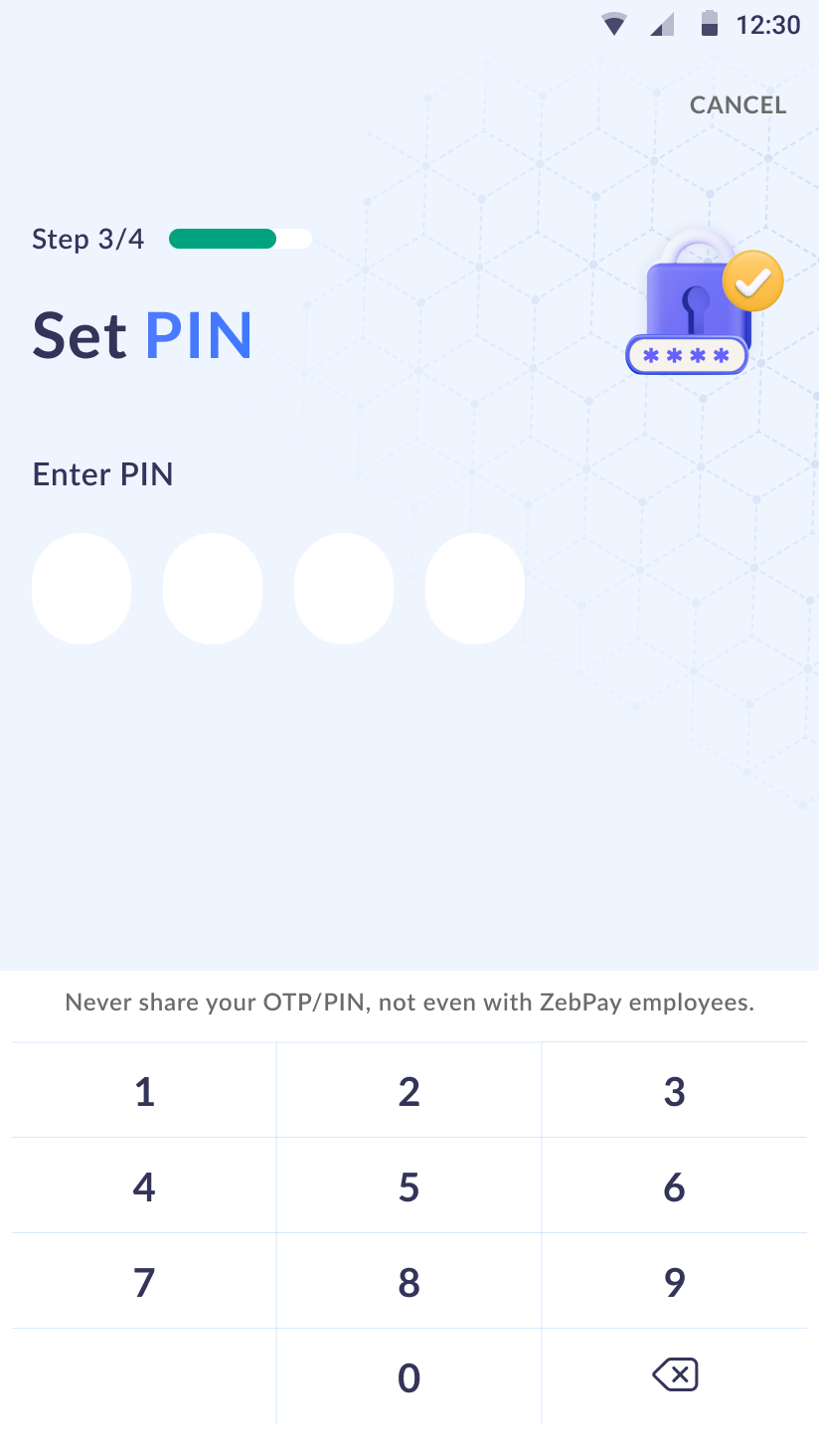
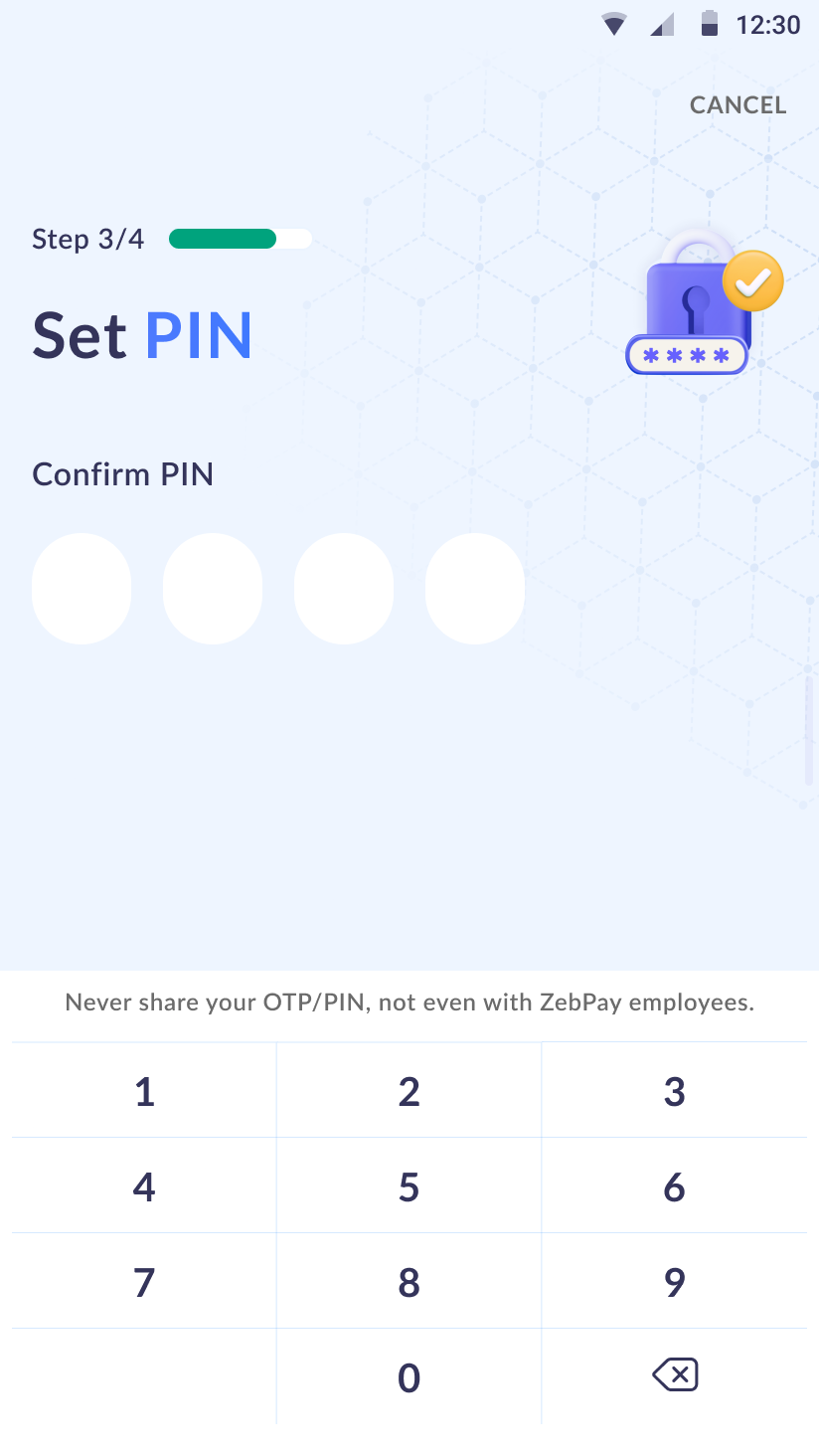
3. You’ll receive an OTP via SMS on your registered mobile number. Enter the OTP to proceed. Next, enter your email address and tap on ‘Validate Email ID.’ A second OTP will be sent to your email—enter it to continue. On the following screen, set up a 4-digit PIN, confirm it on the next screen, and that’s it—your sign-up is complete! ?
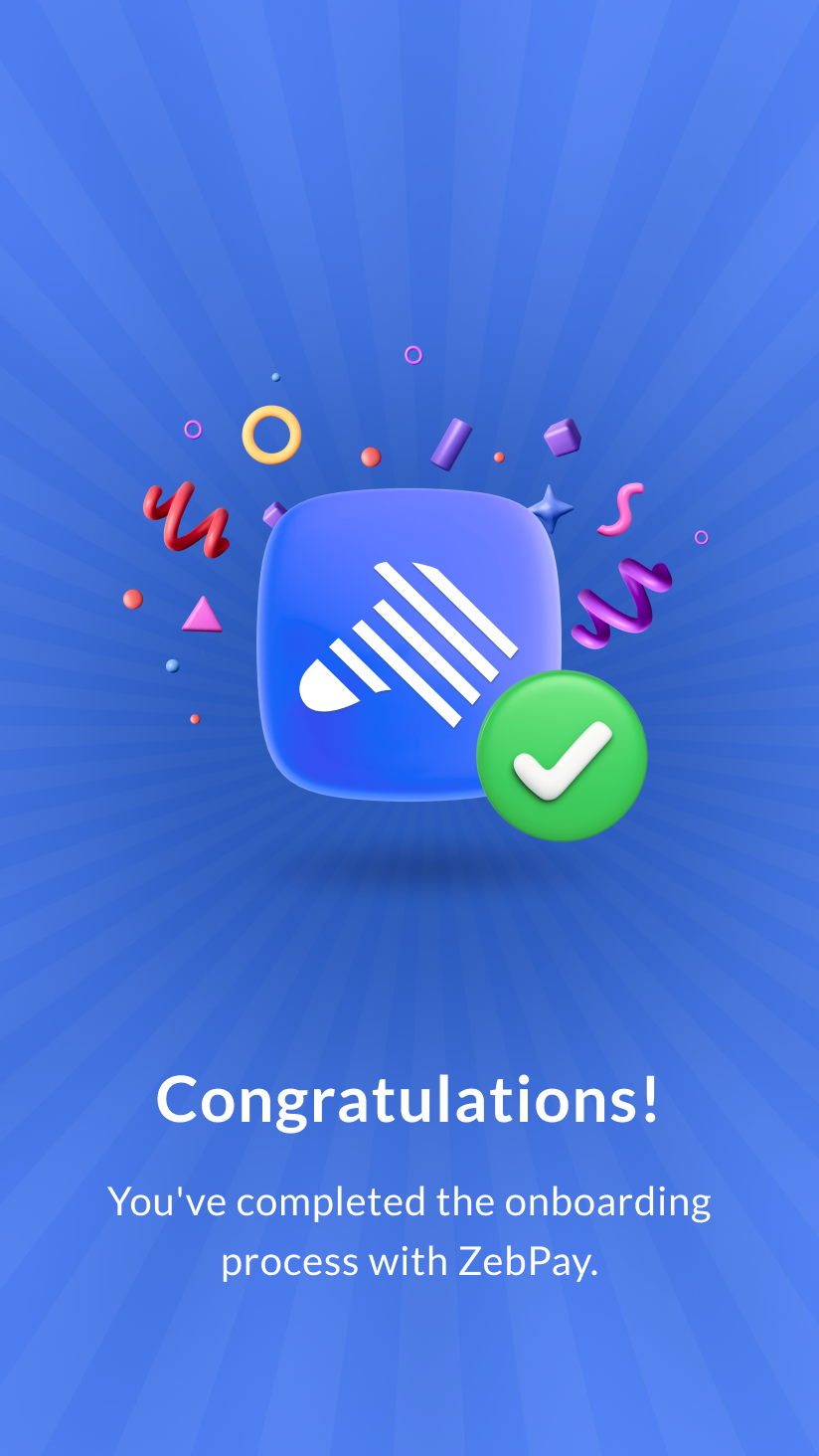
Just got 2 minutes? That's all it takes to complete your KYC with our new, seamless and document-free or document based KYC process.
Our KYC, powered by DigiLocker, simplifies the KYC procedure, making it quick and efficient. This streamlined onboarding process is designed to save you time and incorporates rigorous compliance measures to guarantee your optimal experience on ZebPay.
What is KYC?
KYC (Know Your Customer) helps us:
Verify your identity
Keep your account secure
Comply with regulations
Enable trading, deposits, and withdrawals
Before You Start: Enable Location Access
When starting your KYC, you'll be prompted to enable location access. This helps ensure a smooth and secure verification experience.
Mobile: Allow location permission when prompted
Web: Enable location services on your device and allow browser permission
Once enabled, you can continue with the KYC process.
Getting Started — Complete KYC in 4 Easy Steps
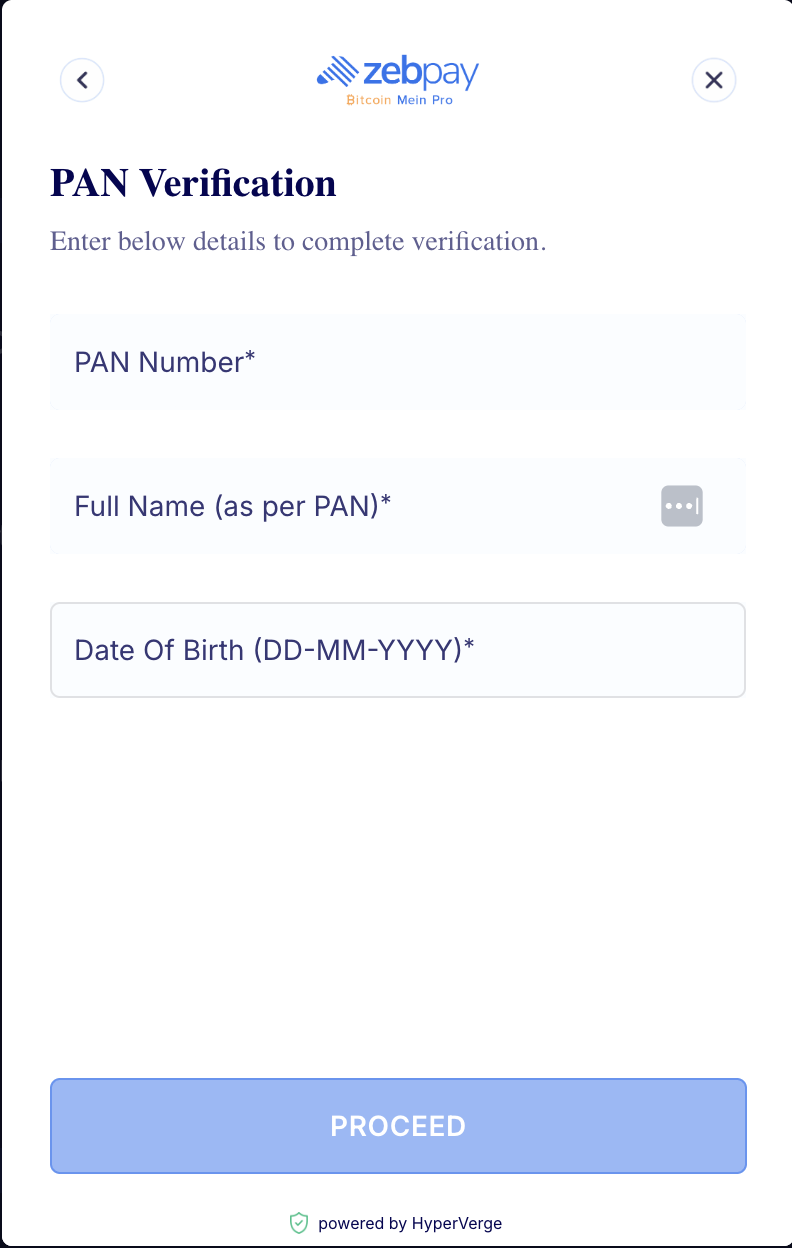
Step 1: PAN Verification
Enter your:
PAN Number
Name as per PAN
Date of Birth
Once submitted, we’ll verify your PAN details.
Step 2: Address Verification
After PAN verification, you’ll be redirected to DigiLocker for address verification.
Follow these steps:
Enter your Aadhaar number
Complete OTP verification
Enter your DigiLocker PIN
Provide consent by selecting the Aadhaar checkbox
Your Aadhaar details will be fetched automatically.
Alternate Option (If you're unable to proceed with DigiLocker)
Click on "Try another way" and upload your address proof.
In this case, you can upload the image of your original Passport or original Voter ID. Please ensure the document is clear, readable, and valid for a smooth verification.
Step 3: Selfie Verification
Take a clear selfie to confirm your identity.
Tips for best results:
Good lighting
No mask or sunglasses
Face clearly visible
Step 4: Update your source of income declaration
Head to the declaration section after the Selfie capture is completed and provide valid information in all the provisions. Click on submit and verify KYC after all the details are filled.
Note: You are a PEP if you have been entrusted with a prominent public function in any country, including, but not limited to:
(i) Head of state or of government
(iii) Senior government / judicial / military officer
(iv) Senior executive of state-owned corporation
(v) Important politician or political party official.
Also, if you are a family member or close associate of any of the persons mentioned above, you are a PEP.
Once you submit and verify your KYC, a confirmation screen will be displayed if your KYC is processed.
In case at any stage, your KYC is rejected, you’ll be able to see the rejection reason on the app/web.
You’ll also be notified via email/SMS.
Important Points:
Please note that to use all ZebPay services, you must also ensure that your bank details are verified.
The user must be at least 18 years of age
The user must be a Resident of India
Your KYC Status Explained
Your account may show one of the following statuses:
1. Pending
You’ve registered
KYC not started yet
Action required: Start KYC
2. Resume KYC
You started KYC but didn’t finish
Session expired
Action required: Resume KYC
3. Processing
Documents submitted
Under verification
Action required: No action required from your end. Please wait.
4. Verified
KYC completed successfully
You can now proceed with bank verification and use all our features
5. Rejected
Verification failed
You’ll see the exact reason in the app and also receive it via email/SMS, so you can quickly correct and retry.
6. ReKYC Required
Time for periodic verification
Action required: Start ReKYC
7. ReKYC Pending
ReKYC deadline crossed
Temporary restrictions applied:
Trading paused
Deposits temporarily disabled
Withdrawals temporarily disabled
Action required: Complete ReKYC to instantly restore all account features and remove any restrictions.
8. ReKYC Rejected
ReKYC verification failed
You’ll see the exact reason in the app and also receive it via email/SMS, so you can quickly correct and retry.
9. Resume ReKYC
ReKYC started but not completed
Action required: Resume ReKYC
Frequently Asked Questions (FAQs)
1. How long does KYC verification take?
KYC verification is usually completed within a few minutes, allowing you to start trading and using your account instantly upon completion. In some cases, it may take a little longer if additional details are required to complete the verification process.
2. What is DigiLocker?
DigiLocker is a secure, privacy-focused digital platform backed by the Government of India (Ministry of Electronics and Information Technology (MeitY)). It enables access, storage and sharing of government issued identification documents digitally.The documents obtained or shared via DigiLocker are legally recognised as equivalent to physical originals.
In ZebPay, DigiLocker is used to verify your address proof, making the process secure, quicker and convenient.
3. What if DigiLocker doesn’t work?
If DigiLocker is unavailable for any reason whatsoever, you can still complete your verification by scanning your address proof and uploading it on the ZebPay Platform.
4. Why do I need to enable location access during KYC?
Location access helps ensure a secure and compliant verification process.
5. How to enable location access?
Mobile: Please allow location permission when prompted
Web: Enable location services and allow browser permission
6. What documents are accepted as address proof?
You can verify your address using any of the following documents:
Aadhar details
Passport
Voter ID
To verify your address via Aadhar, you will be required to provide the same through the Digilocker Platform. Alternatively, you can complete the verification by scanning and uploading your Passport or Voter ID on the ZebPay Platform.
7. Why was my KYC rejected?
You’ll be able to see the exact reason on the ZebPay Platform and also be notified via email/SMS, so you can quickly correct and retry.
8. What should I do if my KYC attempts are exhausted?
If you reach the maximum attempt limit, you can contact us at help.zebpay.com and we’ll assist you further.
9. Why am I seeing "Resume KYC"?
This means you’ve already started your KYC and did not complete the verification process. You can resume from where you left off on the same device and complete it in just a few steps.
10. What happens if I leave KYC incomplete?
You can resume your KYC verification process from where you left off. If there’s a long gap, you may simply need to restart the process for a smoother experience.
11. What happens if my session expires during KYC / ReKYC?
If there’s inactivity for some time, your session may expire. You can simply reopen KYC/ReKYC process and resume from where you left off.
12. What is ReKYC and how often is it required?
ReKYC is a periodic re-verification to keep your account secure and compliant. It is typically required at least once a year. We may update the frequency of the re-verification as per law and policy.
13. What happens if I don’t complete ReKYC?
If ReKYC is not completed, some features like trading, deposits, and withdrawals will be temporarily paused until ReKYC is completed. Once done, all features will be restored. To ensure uninterrupted access to your account, please complete ReKYC within the given timeline.
Need Help? We're Here for You!
We're here to support you at every step of your KYC journey. You'll always know where you stand, as we’ll keep you informed about your KYC status and next steps through in-app updates and email notifications.
If you need any assistance at any point, our Support team is always ready to help you complete the process smoothly and quickly.
You're just a few steps away from getting fully verified and starting your trading journey.
Was this article helpful?
That’s Great!
Thank you for your feedback
Sorry! We couldn't be helpful
Thank you for your feedback
Feedback sent
We appreciate your effort and will try to fix the article