Adding funds to your ZebPay account is quick and easy! We offer three convenient deposit methods so you can choose what works best for you:
Instant Deposit — fastest way to fund your account
Manual Deposit — transfer directly from your bank
UPI Deposit — simple, seamless, and instant
Instant Deposit
Instant Deposit uses a unique Virtual Account (VA) number assigned specifically to you, allowing funds to reflect in your ZebPay account quickly and securely.
Before you begin:
Always read the Important Notice page (shown when you tap "Instant Deposit") before initiating a transfer.
Please deposit funds only via RTGS / NEFT.
IMPS and UPI deposits will fail and the funds will be reversed to the source account as per banking norms. ZebPay is not liable for any loss of funds sent via IMPS or UPI.
How to deposit instantly?:
Step 1: On the Portfolio screen, tap Deposit → Instant Deposit

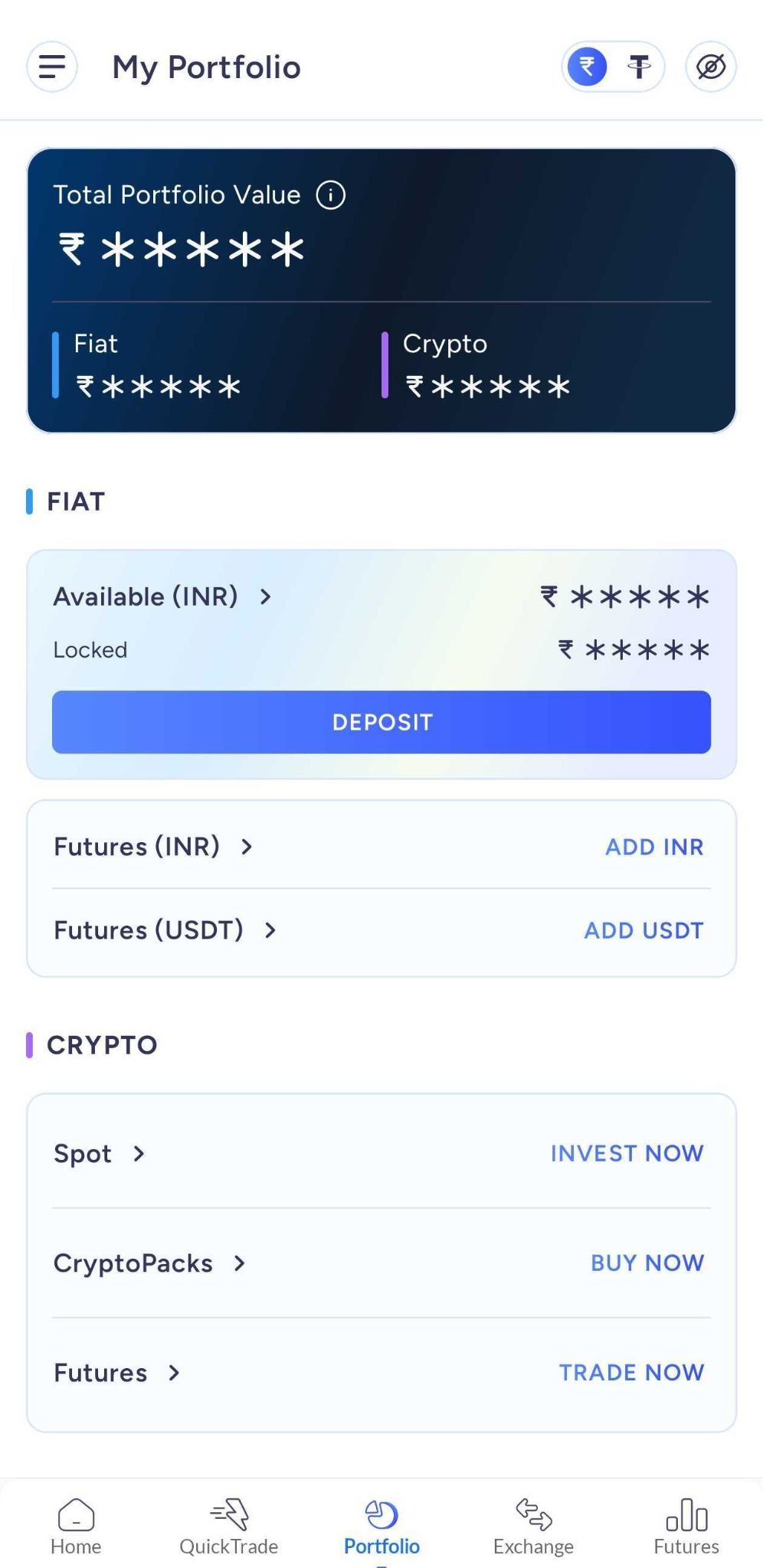
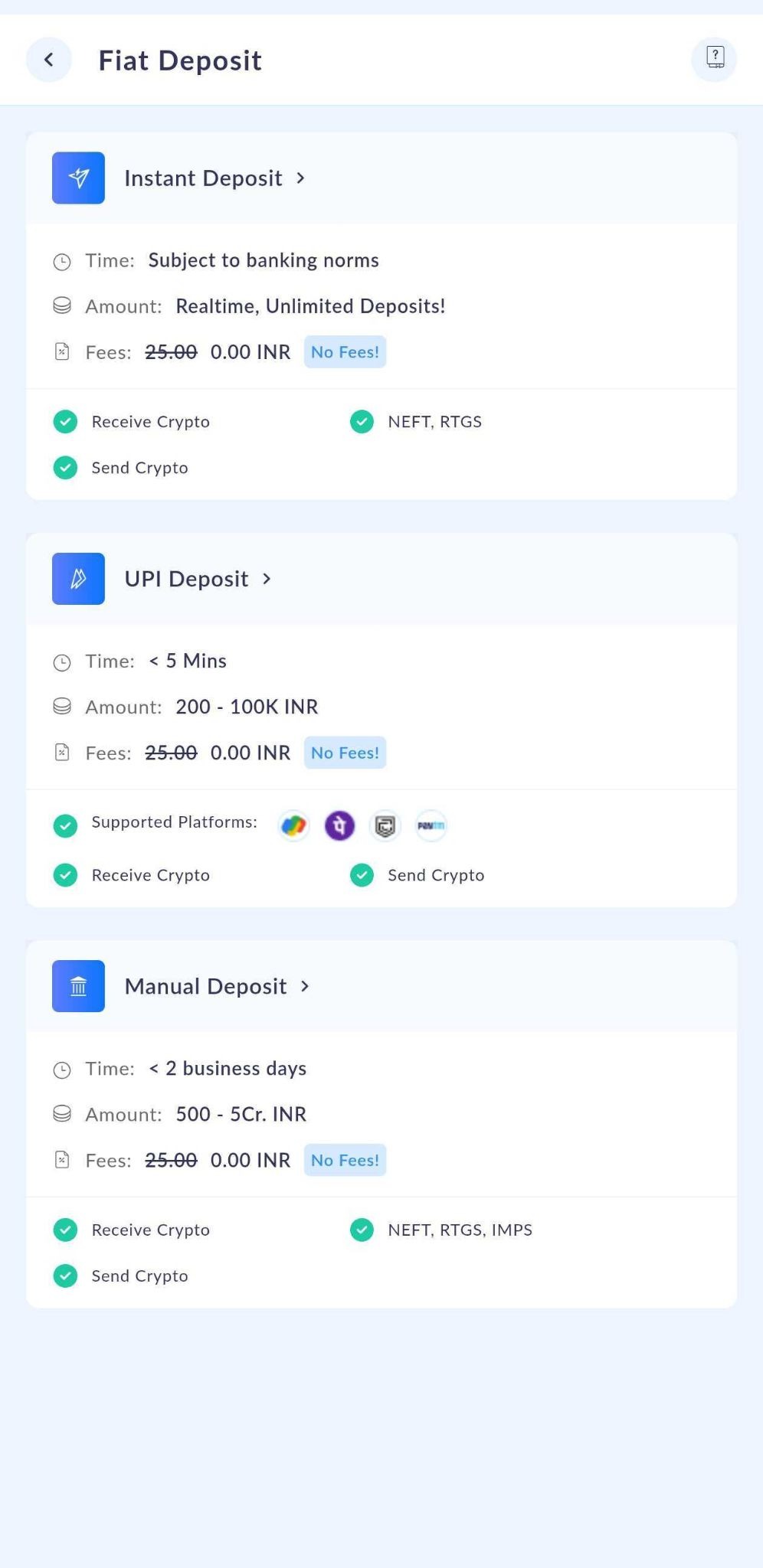
Step 2: Read the Important Notice page carefully.
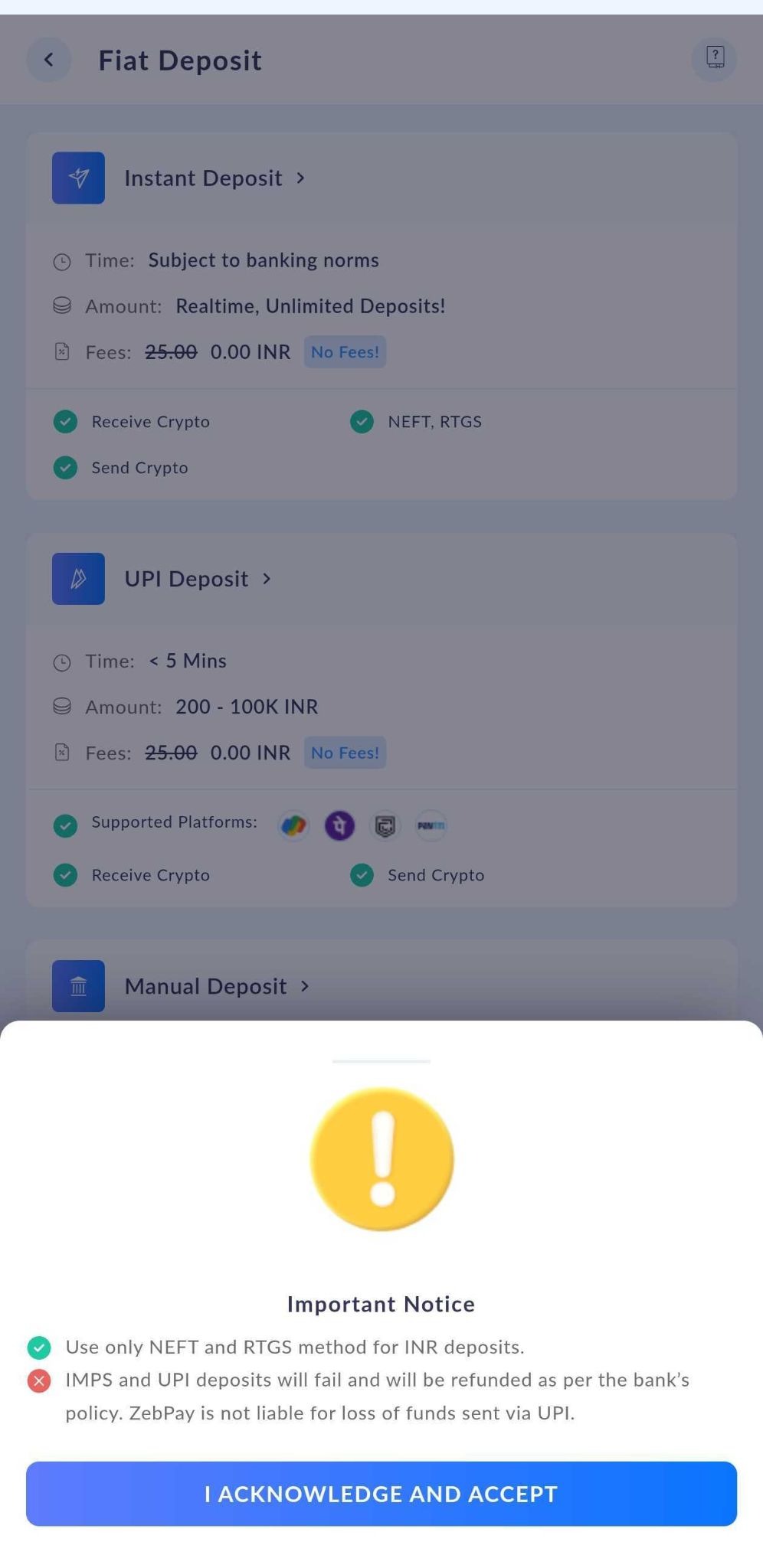
Step 3: Note your Virtual Account details and transfer funds using your registered bank account app.
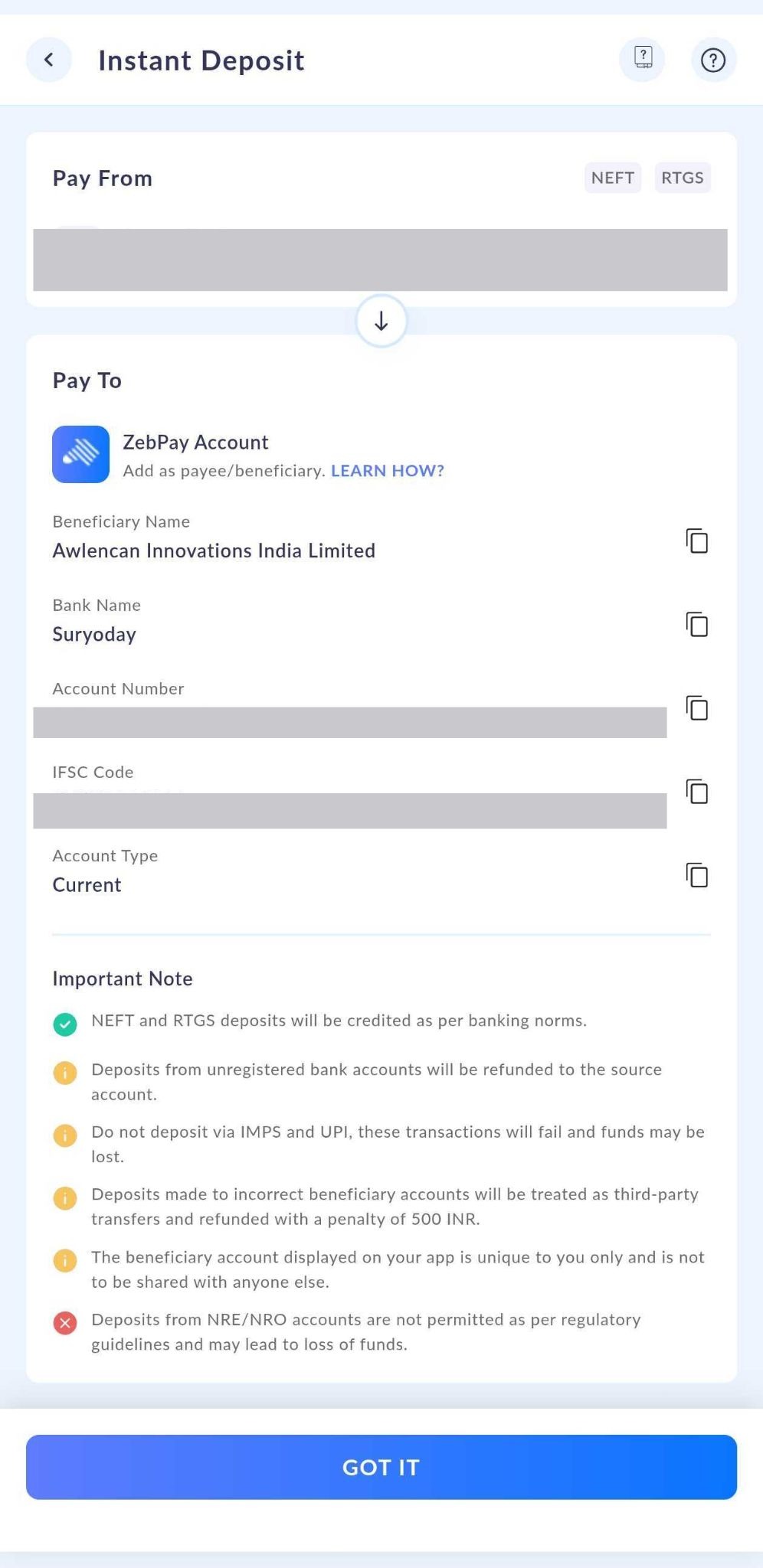
✅ Once funds are received, your deposit will be credited instantly (subject to banking hours).
Manual Deposit
Manual Deposit lets you transfer funds directly from your registered bank account and submit proof of the transaction for our team to verify.
How to make a manual deposit?:
Step 1: On the Portfolio screen, tap Deposit → Manual Deposit

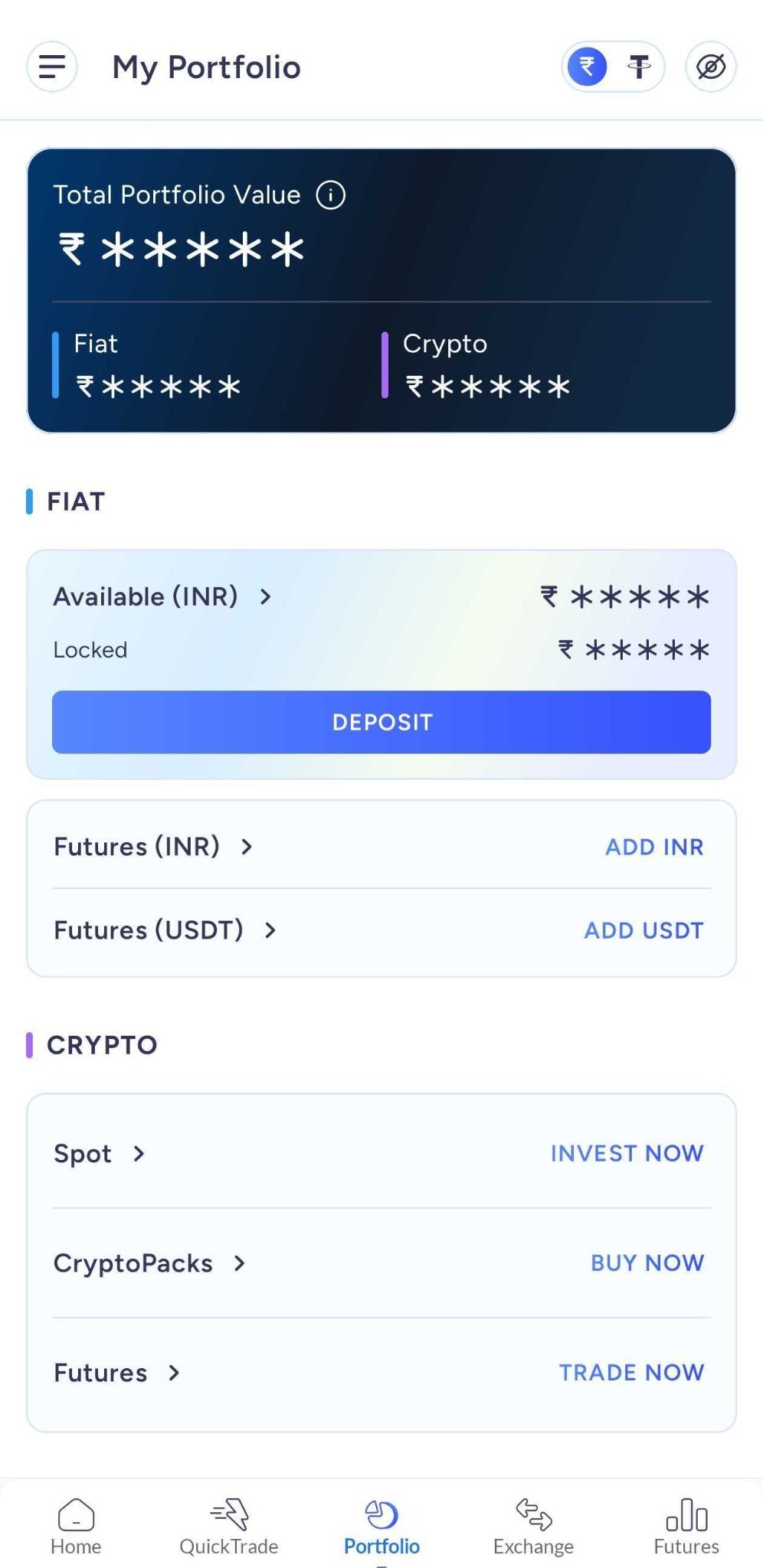
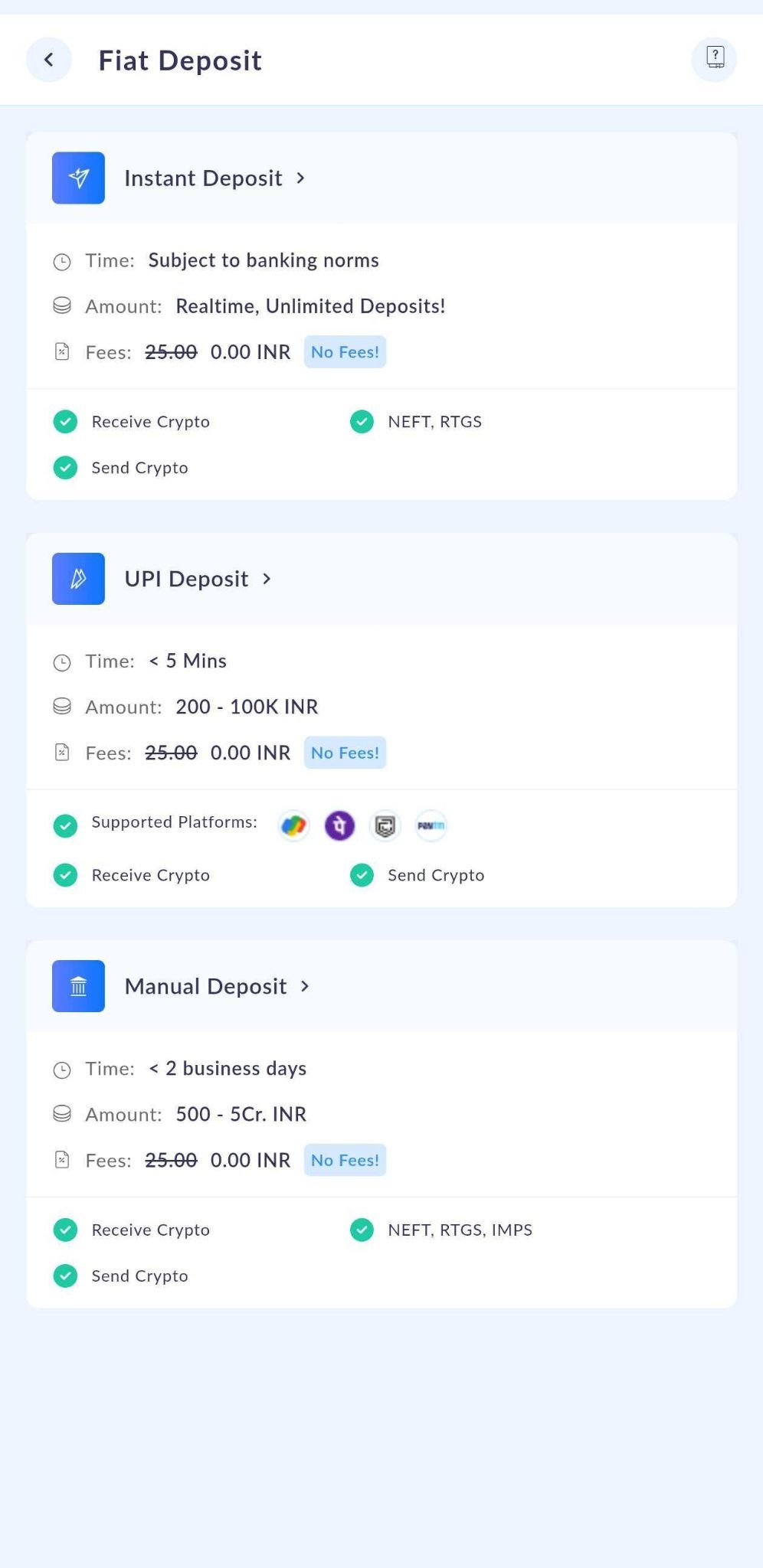
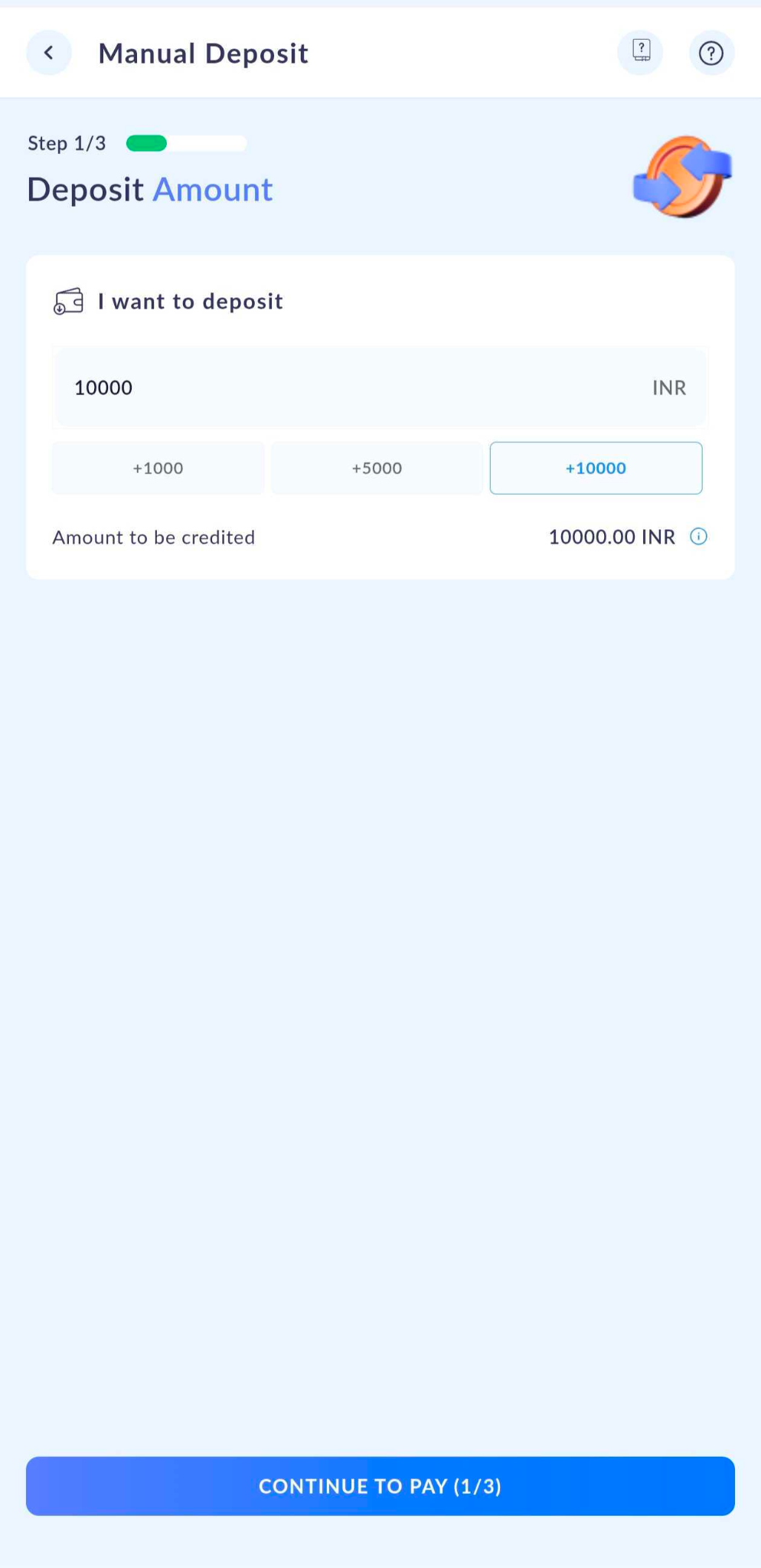
Step 2: Enter the amount you wish to deposit (must meet the minimum amount shown on screen) and tap Continue to Pay
Step 3: You'll see our beneficiary bank details — transfer funds from your registered bank account to this account.
Step 4: Once the transfer is done, select your payment method and enter the Transaction Reference Number (UTR/Payment ID) from your receipt or bank statement.
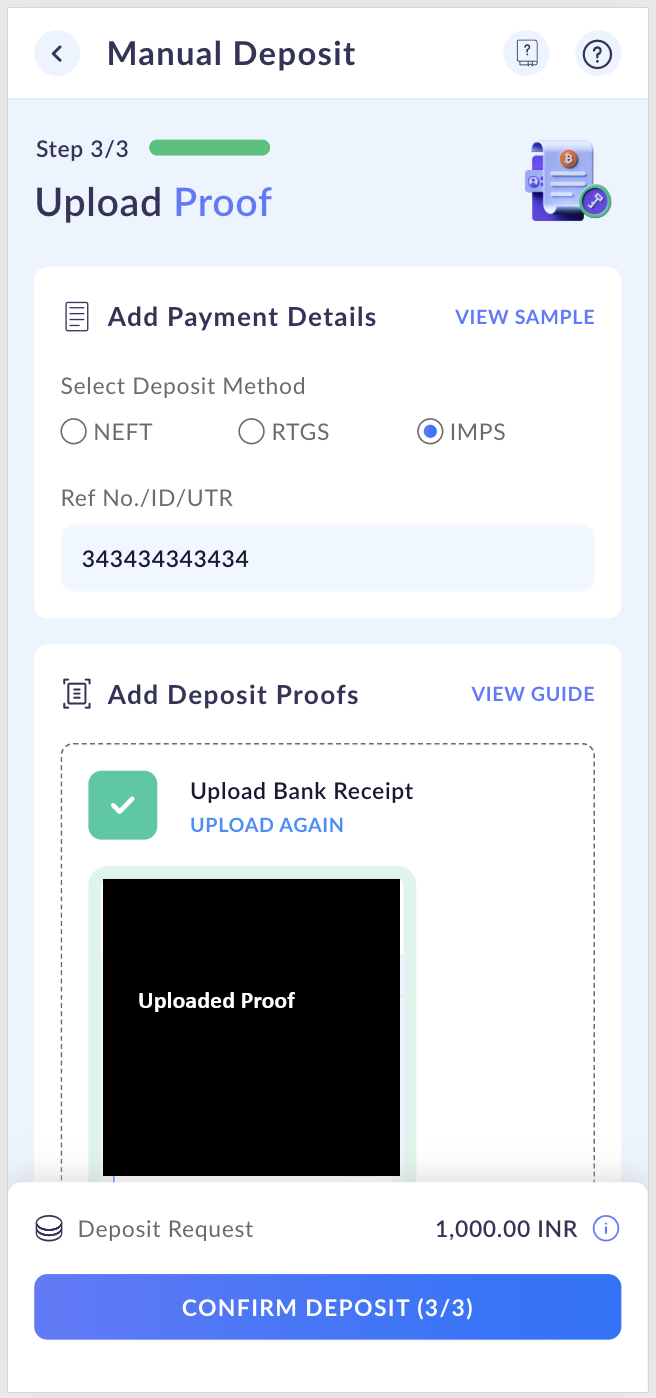
Step 5: Upload a clear image of your transaction receipt or bank statement. Make sure it includes:
Remitting account number
Amount transferred
Transaction date
Complete reference number
Step 6: Review all details carefully, then tap Confirm Deposit — you'll see a summary on the next screen
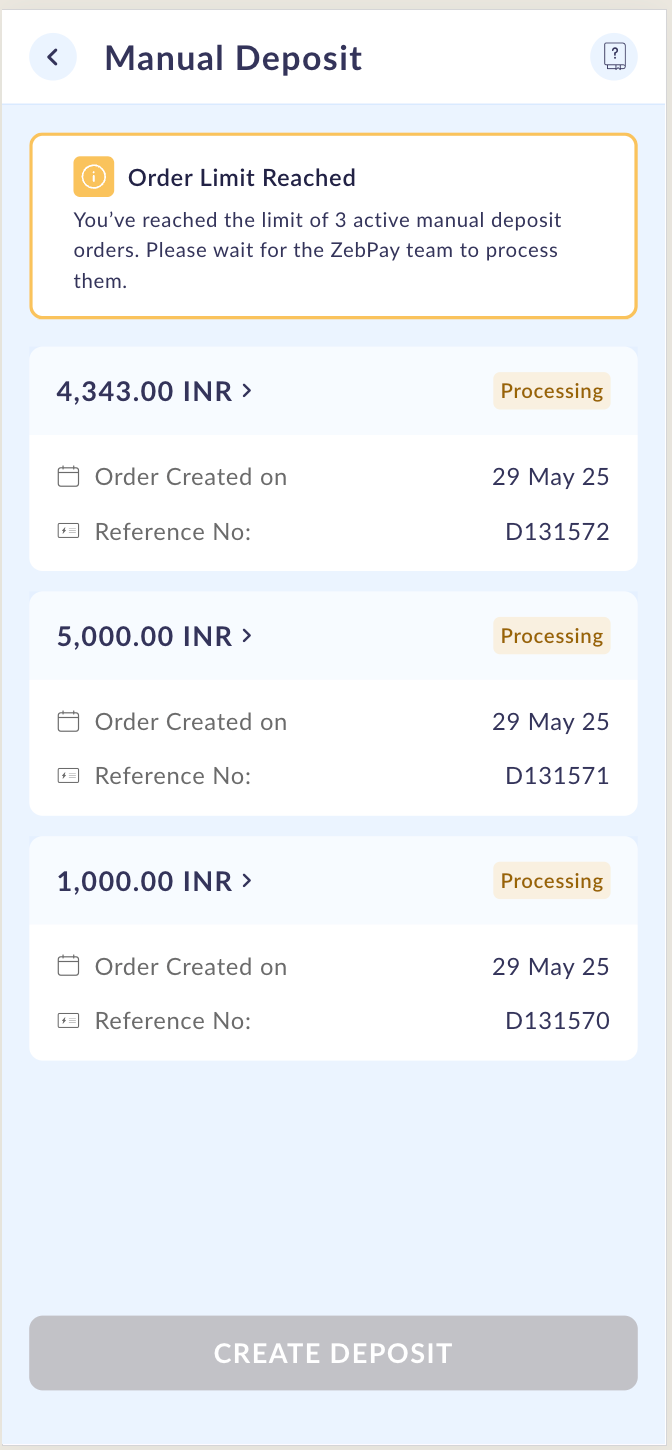
You can have up to 3 deposit orders in "Processing" status at the same time. A new order can only be created once one of them is processed or rejected.
Cancelling a deposit order
Changed your mind? You can cancel a pending deposit anytime — here's how:
Step 1: Go to Portfolio → Deposit → Manual Deposit
Step 2: Select the deposit order you wish to cancel from the list
Step 3: Choose a reason from the dropdown and tap Cancel.
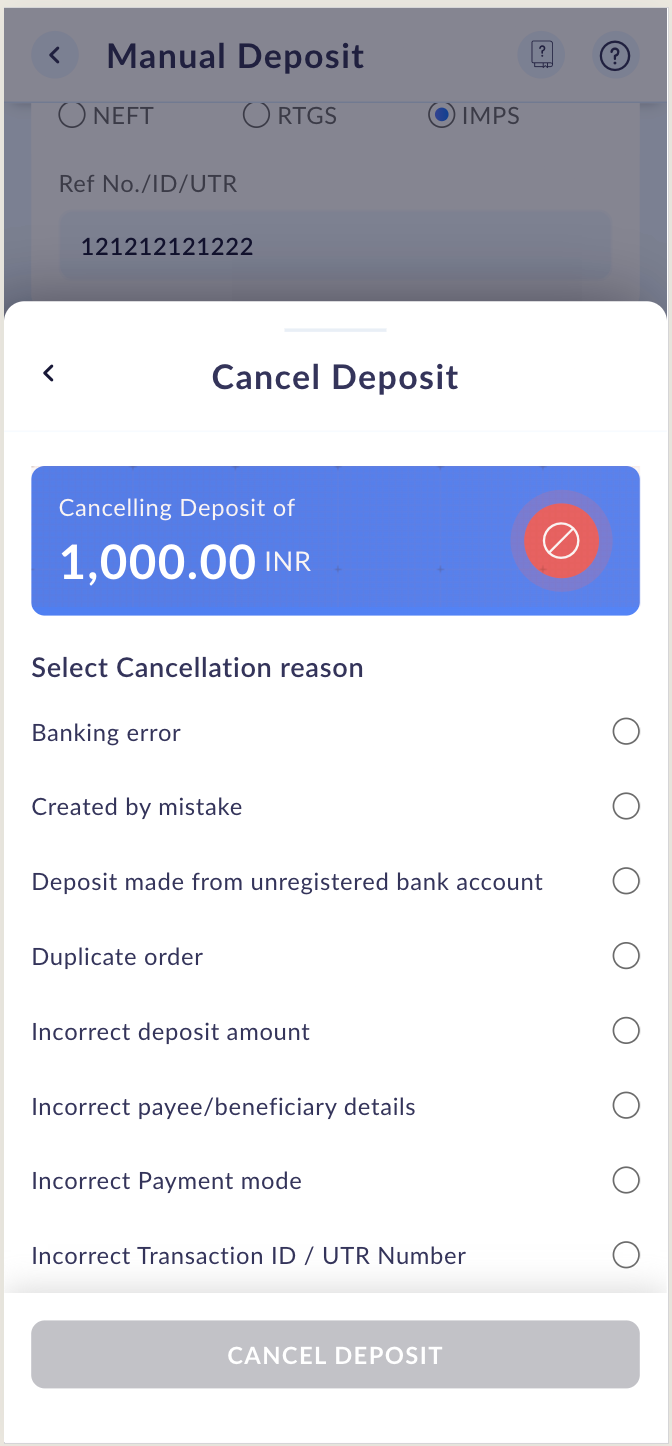
Step 4: Read the notification, tap Acknowledge, then Proceed with Cancellation.
Step 5: Your order will be cancelled and you'll receive a confirmation in the app and via email.
⚠️ Please note: Cancelling a deposit order does not automatically trigger a refund. If you've already made the transfer and need a refund, please reach out to our Customer Care team — we're happy to help!
Deposit orders showing "Action Required"
If your deposit proof is rejected (due to missing details, incorrect documents, or an unreadable file), your deposit order will show the status "Action Required". You'll also receive an email explaining why and what to do next.
Here's how to re-upload your deposit proof:
Step 1: Go to Portfolio → Deposit → Manual Deposit
Step 2: Tap the deposit order marked Action Required
Step 3: Under the Add Deposit Proof section, tap Re-upload Document and upload a valid proof containing all required details
Step 4: Tap Confirm Upload to submit
Once re-uploaded successfully, the status will change back to Processing and our team will review it within 48 hours.
⚠️ You can re-upload proof a maximum of 2 times. If rejected after the second attempt, the deposit order will be automatically cancelled.
UPI Deposit
Want to deposit via UPI? We've got you covered!
Check out our dedicated guide here: How to deposit via UPI
Important things to keep in mind!
Please go through these before making any deposit — they'll save you time and keep your funds safe:
✅ Only use your registered bank account — deposits from unregistered accounts will be refunded, with a ₹500 penalty deducted
✅ No third-party transfers — a fine of ₹500 applies to deposits made from accounts not registered with ZebPay
✅ Double-check your Virtual Account number — it's unique to your ZebPay account. Deposits into incorrect VAs are treated as third-party transfers and will be refunded with a ₹500 penalty
✅ NRE / NRO / NRI / Joint accounts are not accepted — as per statutory guidelines, such deposits may result in loss of funds
✅ Do not use UPI for Manual Deposit — UPI is only supported through the dedicated UPI Deposit option
✅ Crypto Send feature availability depends on the option selected during bank verification or when opting for Instant Deposit
✅ Fees shown are exclusive of GST — 18% GST will be applied on all applicable fees. Visit our Fees & Limits page for the latest details
Got questions or need a hand? Our support team is always here for you — don't hesitate to reach out via a support ticket!
Was this article helpful?
That’s Great!
Thank you for your feedback
Sorry! We couldn't be helpful
Thank you for your feedback
Feedback sent
We appreciate your effort and will try to fix the article