Instant execution, zero complexity — buy and sell your favourite crypto at the best available price, right from the ZebPay app.
What is QuickTrade?
QuickTrade is ZebPay's fastest way to buy or sell crypto. No waiting for orders to match, no complicated order books — just tap, confirm, and you're done. Your order is executed instantly at the best available market price. Trade with minimum slippage and transaction fees.
Whether you're a first-time buyer or a seasoned trader, QuickTrade makes it effortless to get in and out of the market in moments.
QuickTrade vs open order book — which is right for you?
Whether you prefer more control or instant execution, ZebPay gives you the flexibility to trade your way.
Here's a quick overview to help you choose:
How to use QuickTrade?
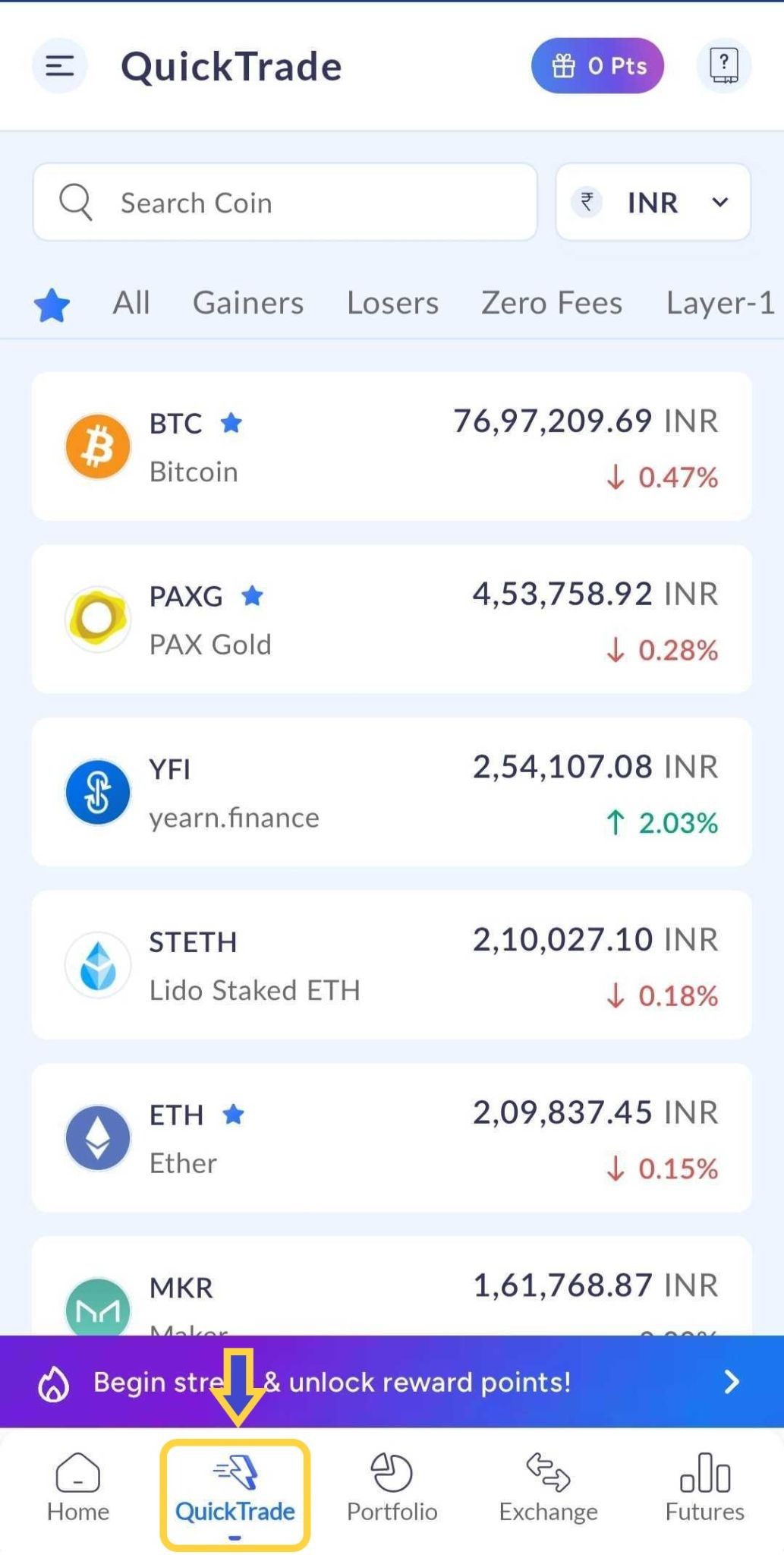
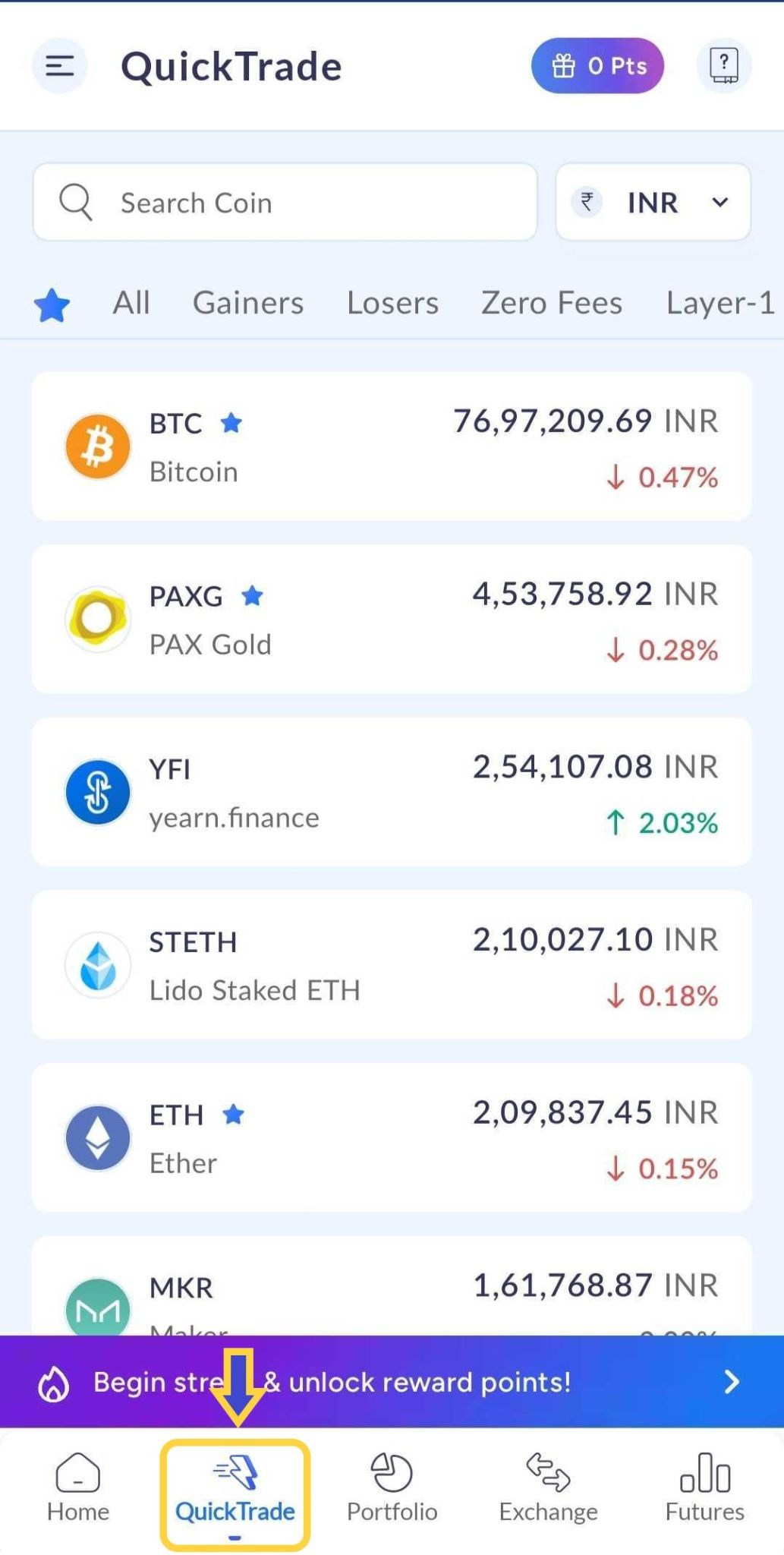
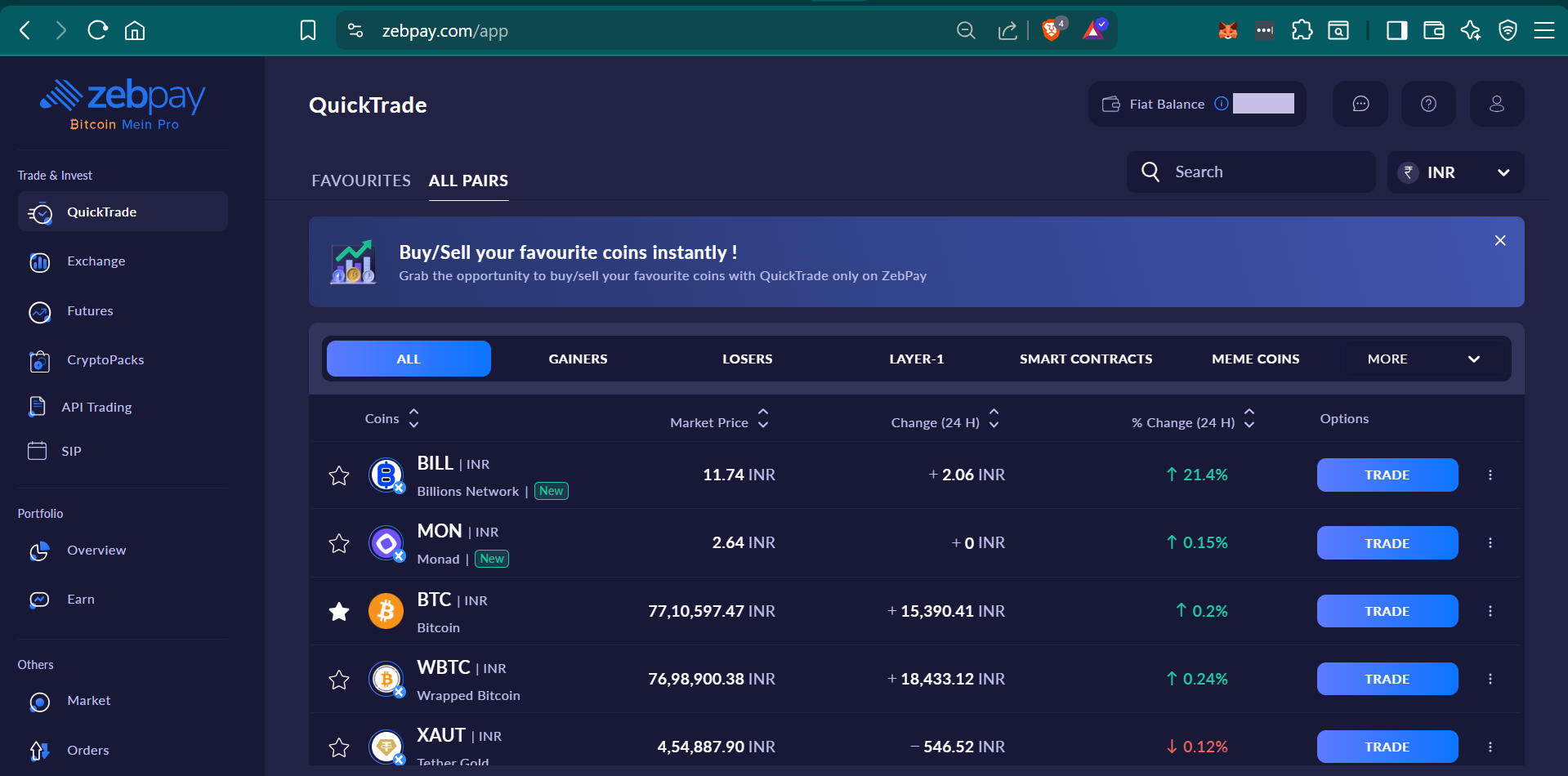
Select your crypto pair: Browse the coin list by name, symbol, or use the search bar. Filter by your preferred currency — INR or USDT.
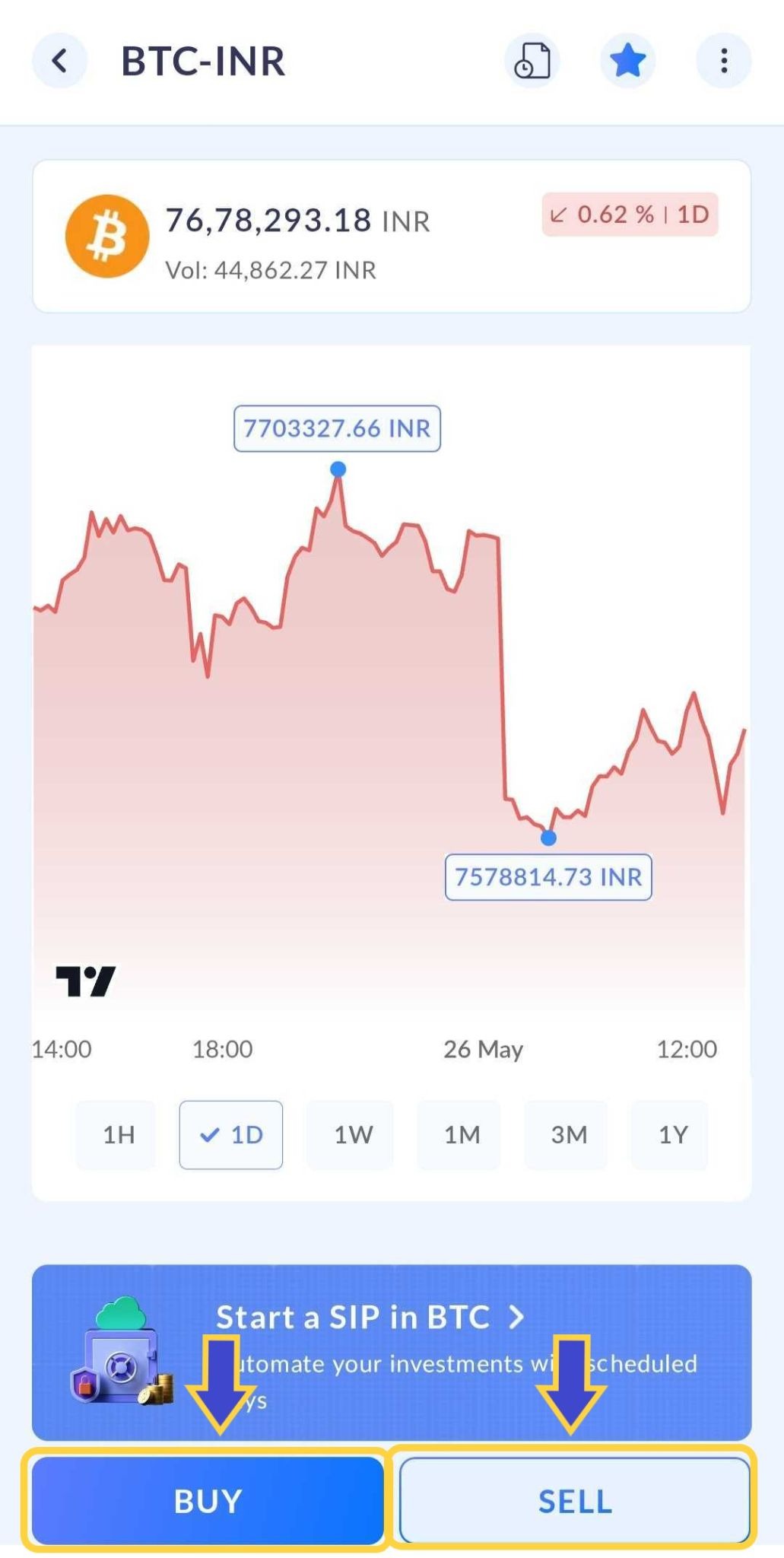
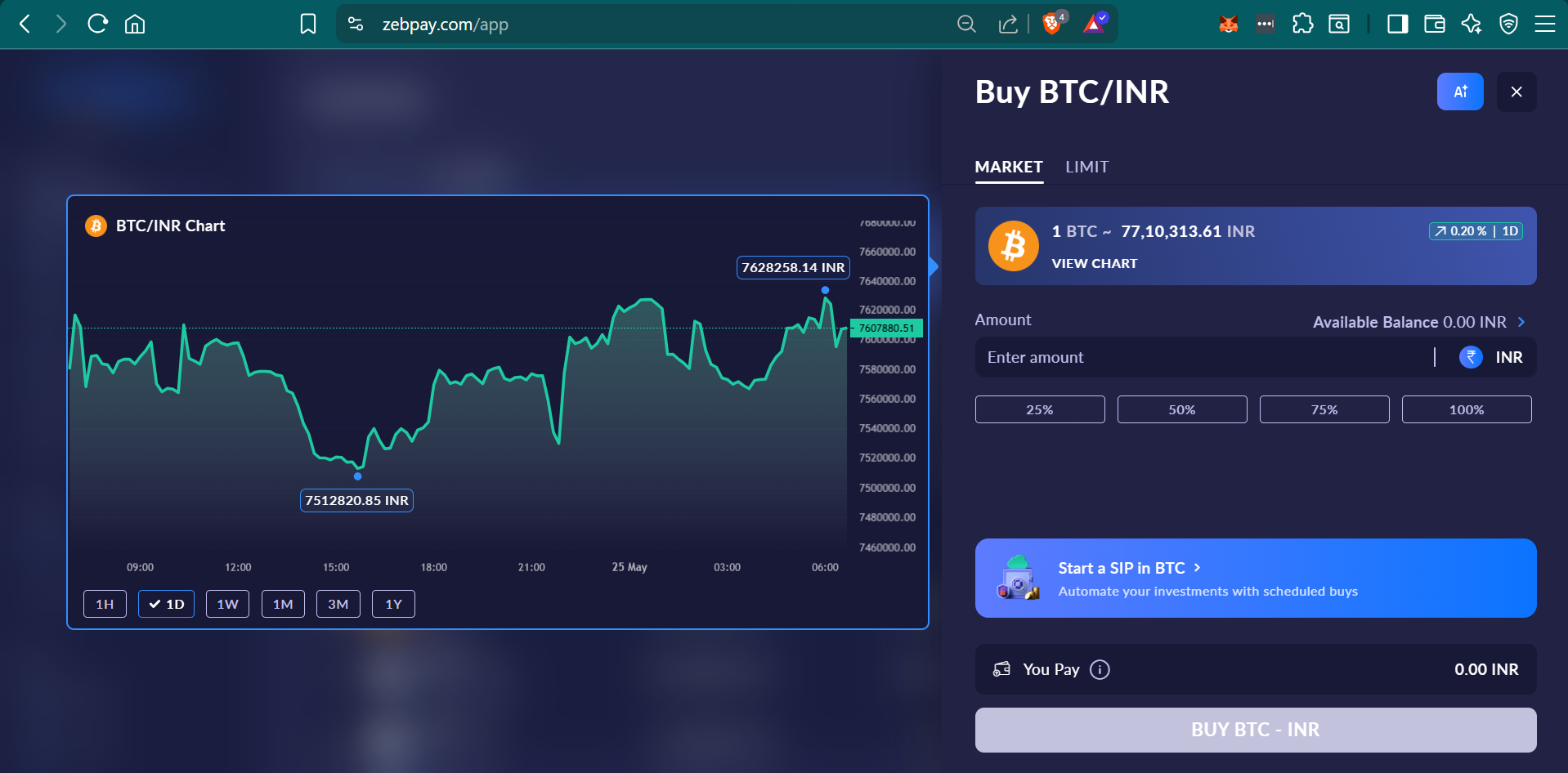
Choose buy or sell: Enter your amount. On the buy/sell screen, enter the amount in your quote currency (e.g. INR or USDT). Or you can also tap 25%, 50%, 75%, or 100% to instantly use a portion of your available INR wallet balance to buy the crypto of your choice or the portion of the crypto you hold in case of selling.
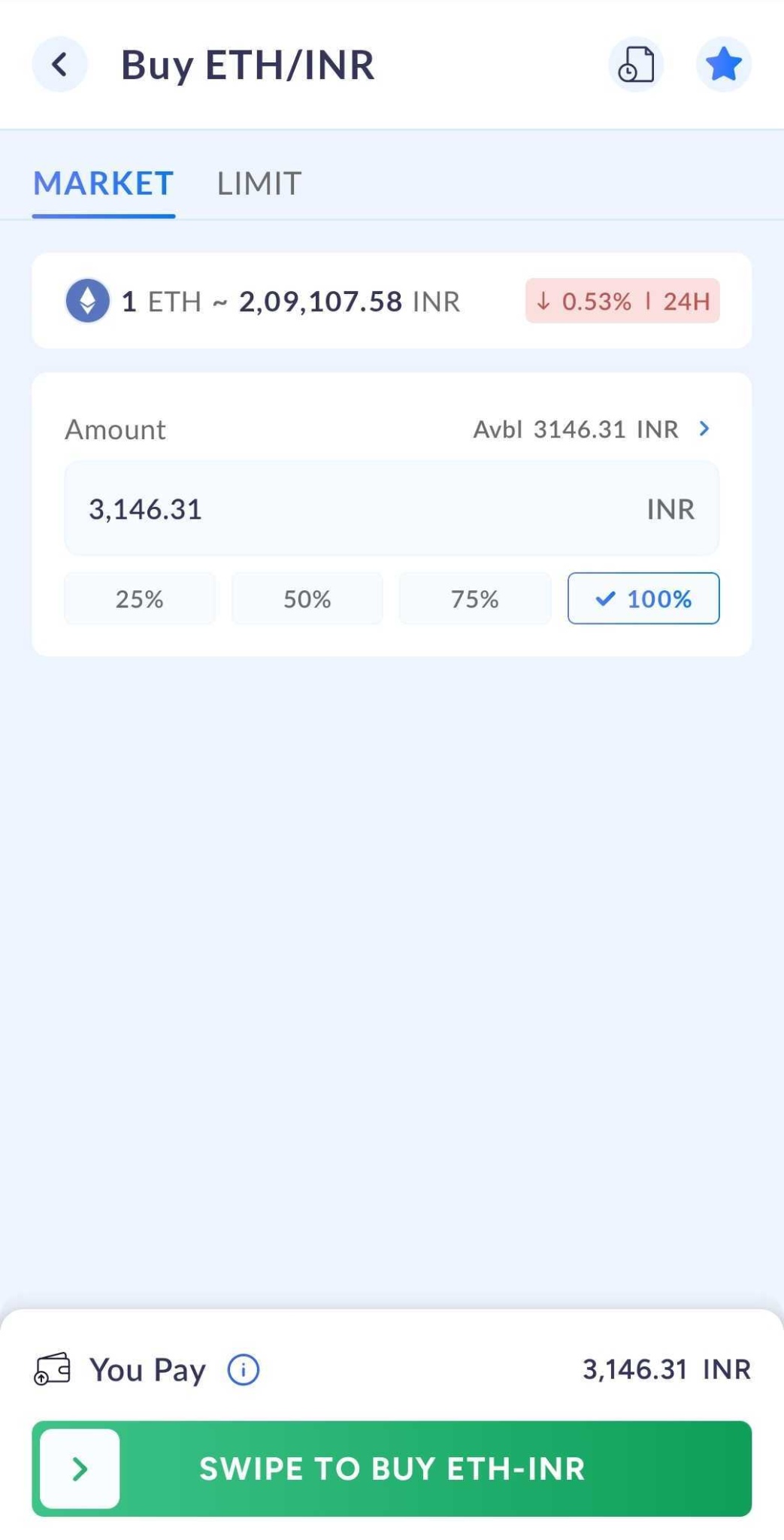
Swipe to buy/sell! Review and place your order. Double-check your details and confirm. We instantly validate your order against current rates, and circuit limits — keeping you protected from sudden market swings.
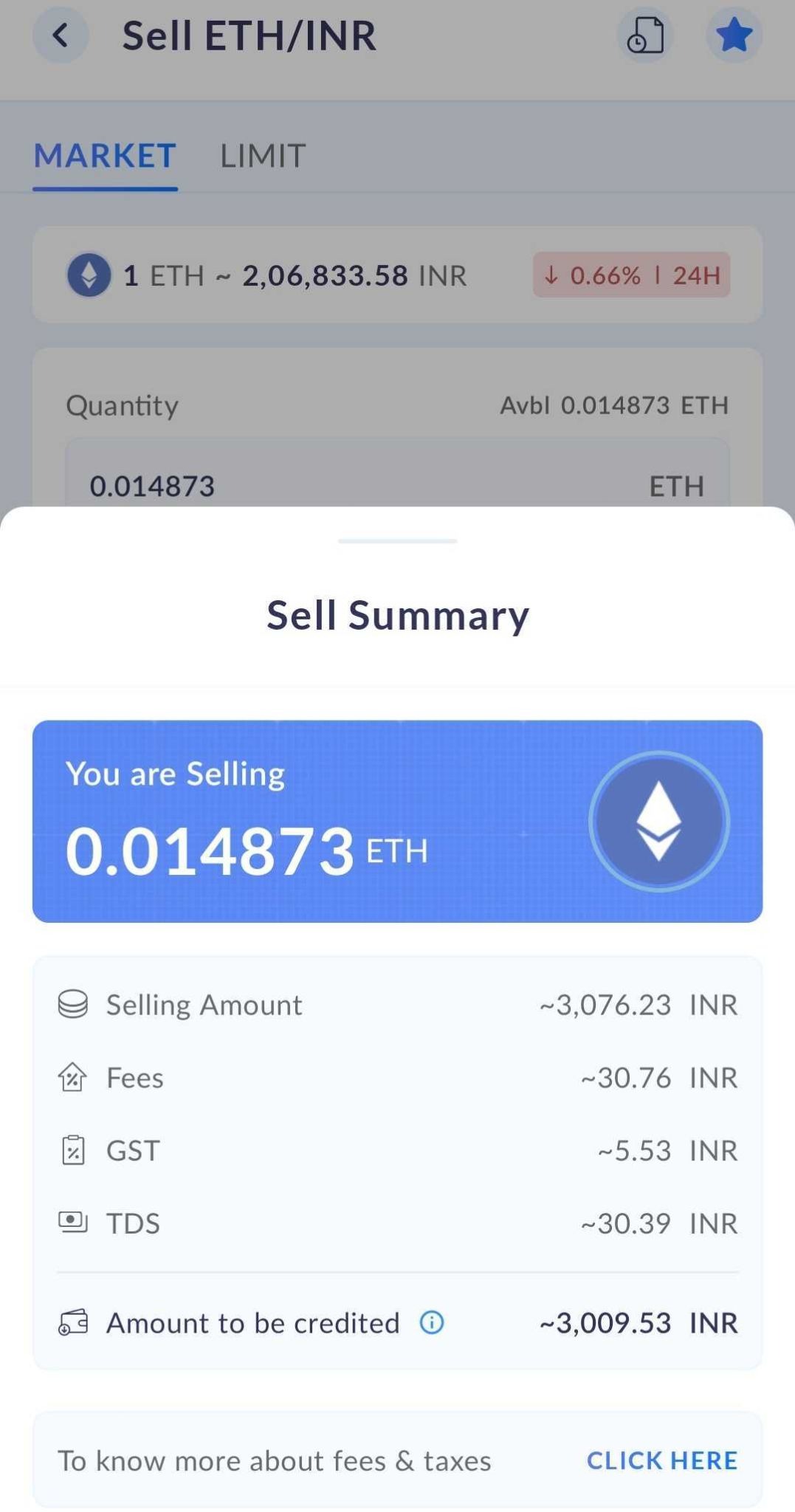
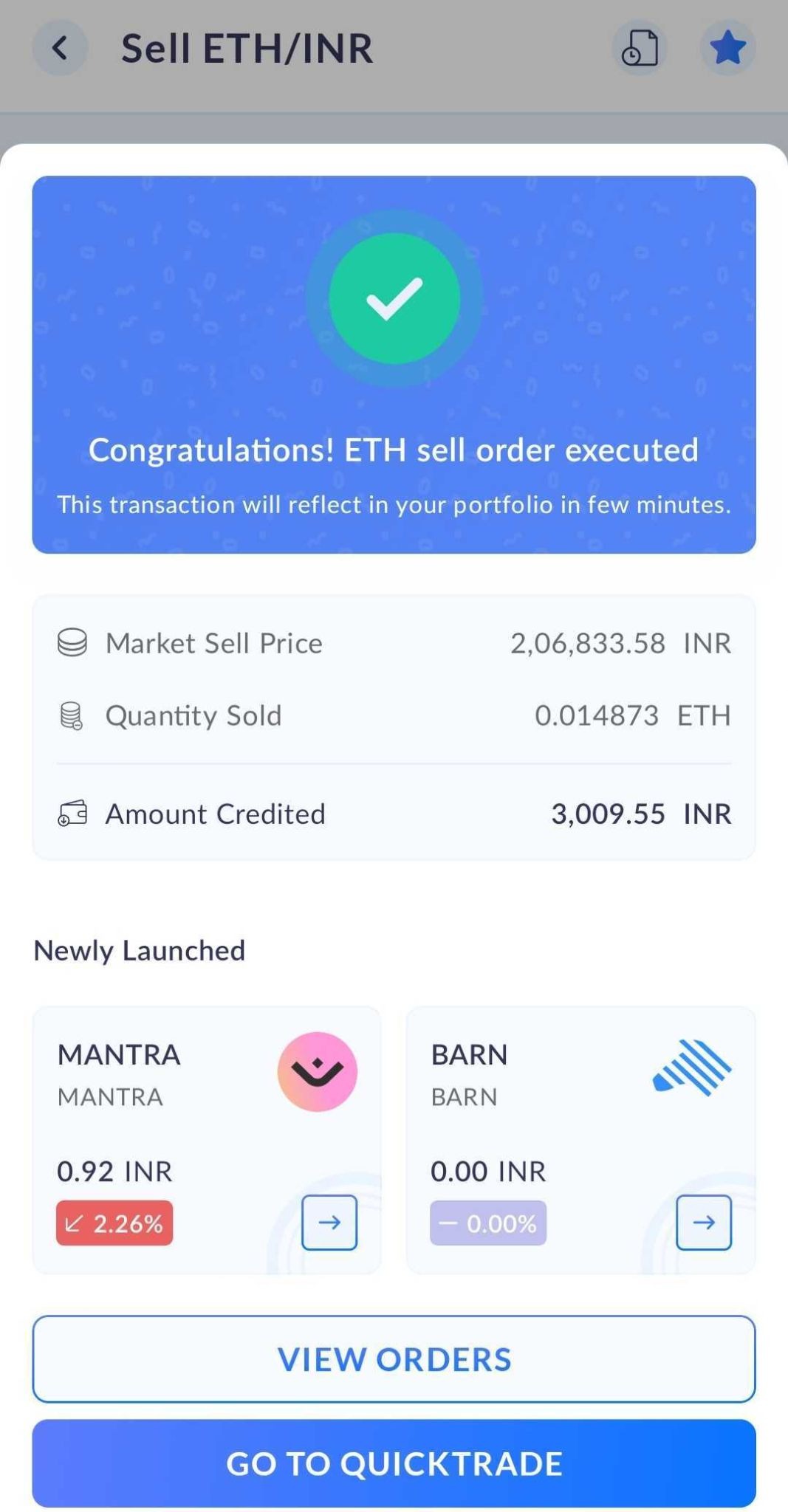
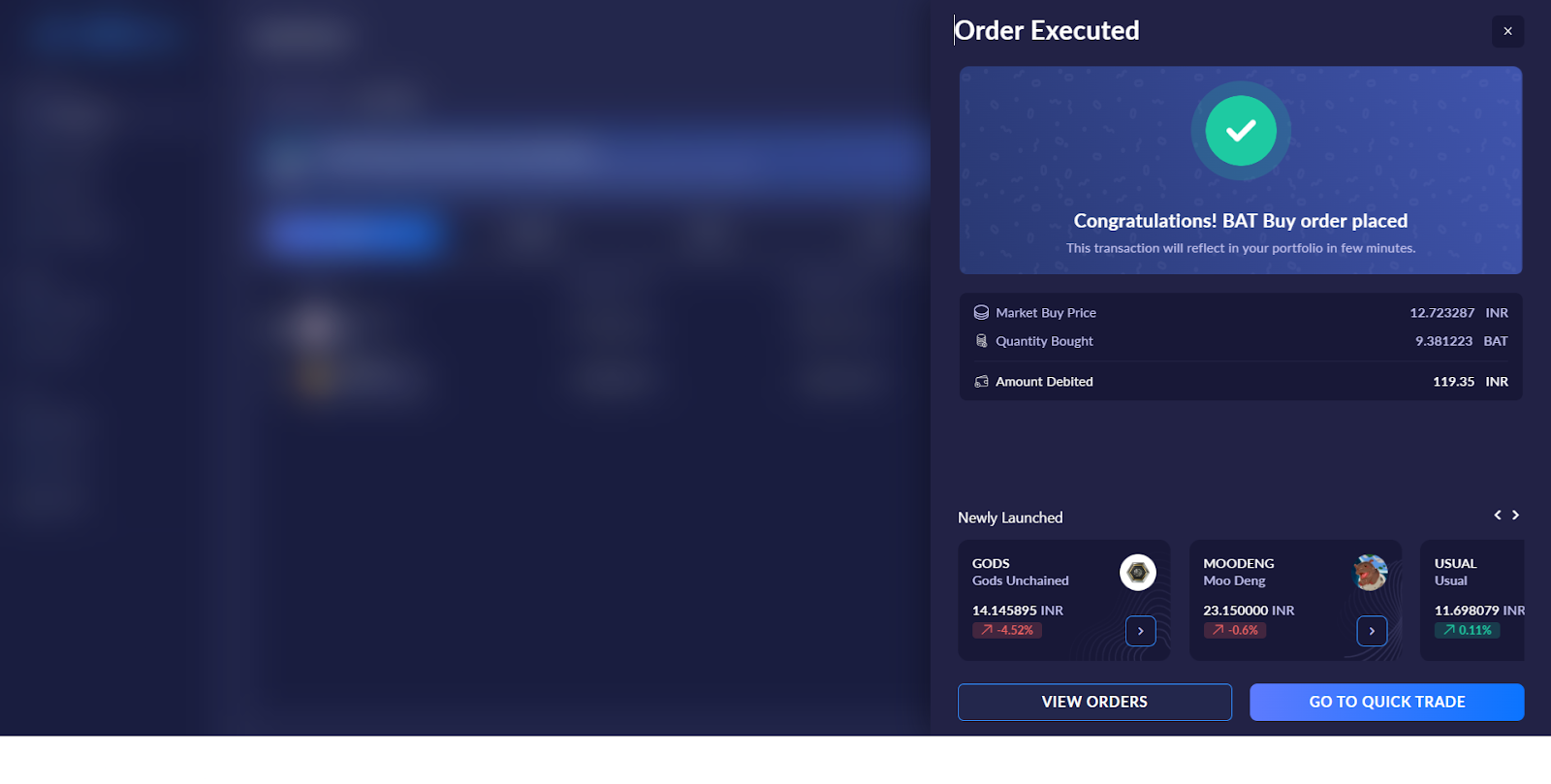
Done — your order is complete: Once verified, your order is processed in seconds and reflected in your ZebPay account. Fast, secure, and hassle-free.
QuickTrade features explained:
Everything you need to make fast, confident trading decisions — right at your fingertips. Here’s what you’ll see for every coin:
• Coin name & symbol — Know exactly what you’re trading at a glance. Every coin is displayed with its full name and ticker symbol, so there’s never any confusion.
• New coin badge — Never miss a hot new listing! Freshly added coins are highlighted with a New badge, so you can be among the first to explore and trade them.
• 24hr % change — Stay on top of the market! Green means the price is up, red means it’s down — a clear, colour-coded snapshot of how every coin has moved in the last 24 hours.
• Send & receive with ease — Sending or receiving crypto has never been smoother. Tap into the detail page of any cryptocurrency to securely send, receive, and review your complete transaction history — all in just a few taps.
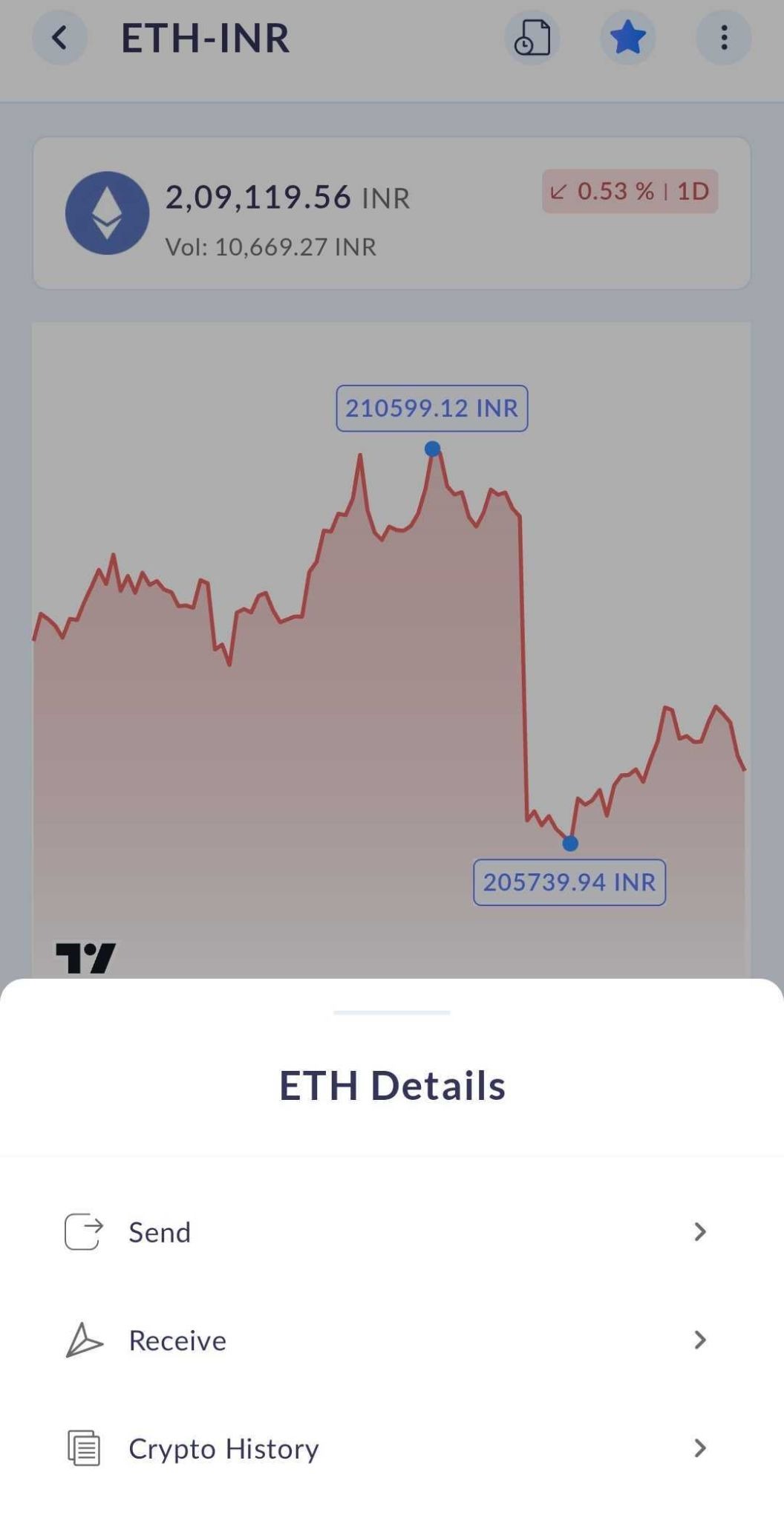
• Market & Limit orders — You’re in control! Choose your cryptocurrency, set your investment amount, and execute your trade exactly how you want it — instantly at the current market price with a Market order, or at your preferred price with a Limit order.
• Sorting and finding coins: Sort the coin list your way by price, 24-hour change, newest listings, trending coins, or your personal favourites. By default, coins are sorted by trending, so the most active assets are always front and centre.
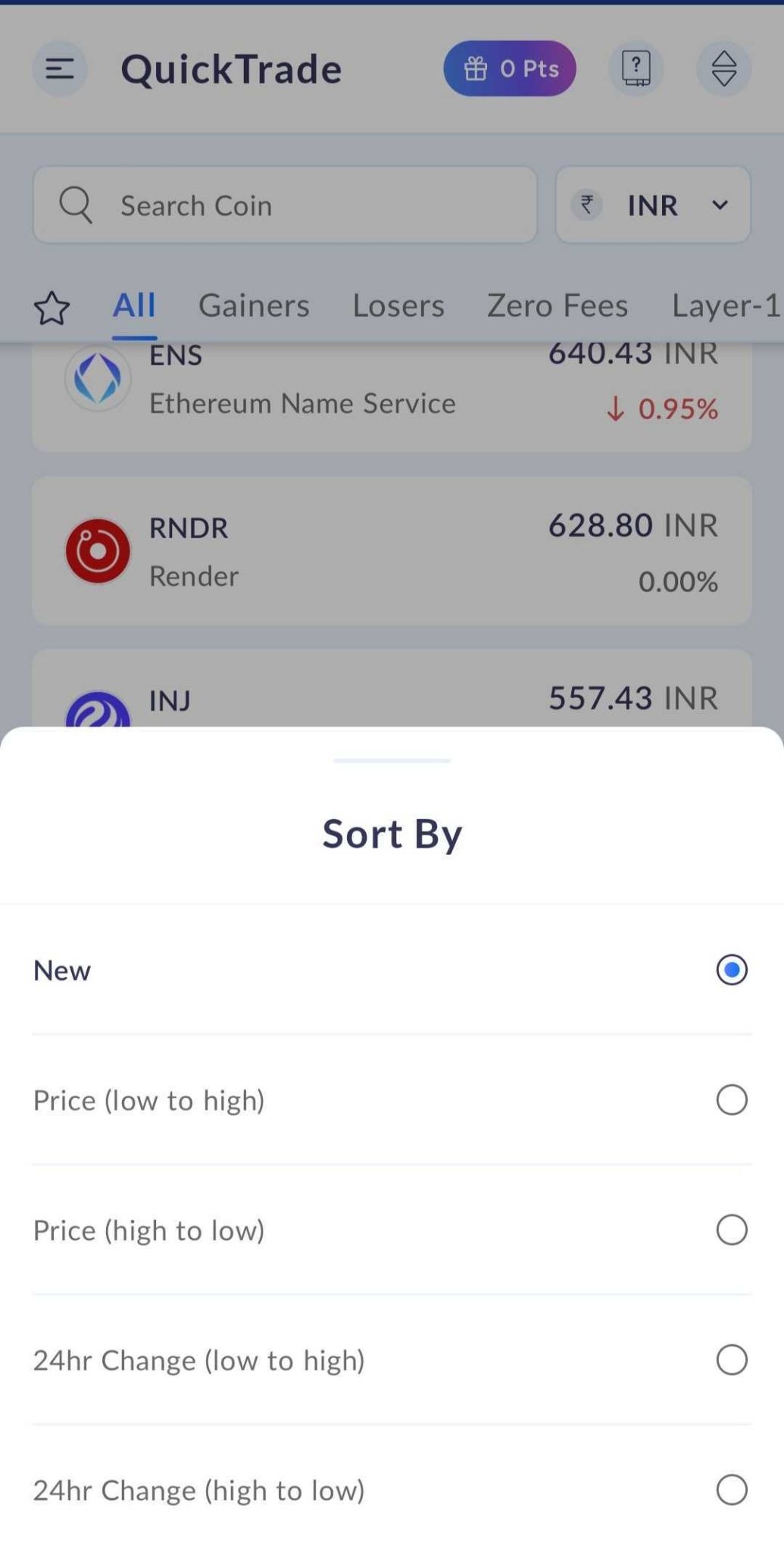
• The search bar is instant and smart: Type as little as one character and results appear straight away.
• Favourites: Tap the star icon next to any coin to add it to your favourites for quick access. You can add or remove them anytime, it's fully reversible. Your most recently added favourites always appear at the top.
• Charts and price insights: The QuickTrade chart screen shows you the last traded price (LTP) for your selected pair, along with the coin name, price, and percentage change. You can select different time periods to study price history, and even compare your chosen coin against others — right from the same screen.
• QuickTrade history: Every QuickTrade order is recorded in your trade history. You can view the full details for each order, including date & time, order ID, quantity, price, trade value, fees and TDS.
All your trade records, all in one place.
Market price alerts:
Experience effortless trading on our web platform too!
You can also use our Quick Trade feature on https://web.zebpay.com/.
a. Click on Quick Trade → Choose the pair you want to trade
b. Select buy/sell and enter the number of tokens/amount or the percentage portion of the holdings and click on the buy button.
c. Check the Summary and click on “Place Order” button to complete the trade
Frequently asked questions (FAQs):
1. Is there any minimum/maximum buy/sell limit per transaction?
Ans: Yes, there are limits set for buying and selling, and it varies from coin to coin. Please refer to the link below to check the limits: https://zebpay.com/in/features/pricing.
2. What happens if the price changes?
Ans: You’ll get an error message ‘Market Price Updated - Price has been updated as per current market”
You can try again with the updated rate. Just go back to the previous screen and then place the order again.
3. What is the fee applicable on Quick Trade buy/sell transactions?
Ans: A trading fee starting from 0.5% of the total trade amount is applicable on all Quick Trade buy and sell transactions. Please refer to our Fees and Limits link for more information.
It is also available under the ‘Fees’ link on the Quick Trade screen.
4. Where can I view the history of all the Quick Trades done by me?
Ans: You can view all your Quick Trade transactions by selecting the relevant pair under the Quick Trade tab and tapping the "Orders" button on the top. Alternatively, go to the Orders tab from the App Menu and filter the Source as "Quick Trade" to view all related trades.
5. Will I get a separate statement for my Quick Trades?
Ans: You can view all these trades in your trade statement with the order type ‘Quick Trade’.
6. How is this different from Market orders on the Order Book?
Ans: This feature has a simple interface that allows you to buy/sell crypto instantly and is ideal for customers new to the world of crypto.
7. What is the reason for the variance in buy and sell prices?
Ans: The main factor determining the spread ( difference between buying/selling prices ) is the trading volume. Usually, high-volume markets have a lower spread because of their higher liquidity (more competition among buyers and sellers). On the other hand, markets that are not liquid enough and present low trading volume tend to have a more significant spread.
8. Why is the price of some coins different in Quick Trade and Exchange?
Ans: Quick Trade offers you an option to buy or sell your tokens instantly without the hassle of entering the order in the order book. You can buy and sell as much as you want without worrying about liquidity. Whereas exchange works on an open order book where buyers and sellers place an order, and the price is determined solely by them.
9. Why is my Limit order not executed even when the Limit price was hit?
Ans: If the price reaches the Limit you've set in your order, it will be executed in nearly every scenario. As your dedicated service provider, we aim to maintain uninterrupted trading experiences for our valued users. However, like any system, ours may occasionally undergo routine maintenance or require brief moments of rest to operate at its best. While such instances are exceedingly rare, it's important to acknowledge that there might be brief pauses in service. Rest assured, we're committed to swiftly addressing any such situations to ensure your trading activities continue seamlessly. If this occurs, please wait for the price to return to your set limit or cancel and try placing the order again.
*All our fees are exclusive of GST. GST will be charged at the rate of 18% .
Was this article helpful?
That’s Great!
Thank you for your feedback
Sorry! We couldn't be helpful
Thank you for your feedback
Feedback sent
We appreciate your effort and will try to fix the article