Your funds, your way — withdraw your INR balance directly to your registered bank account, securely and conveniently, whenever you need it.
Ready to withdraw your funds?
Whether you want to withdraw some or all of your INR balance, ZebPay makes it quick, safe, and hassle-free. You can initiate a withdrawal to your registered bank account at any time, right from the app.
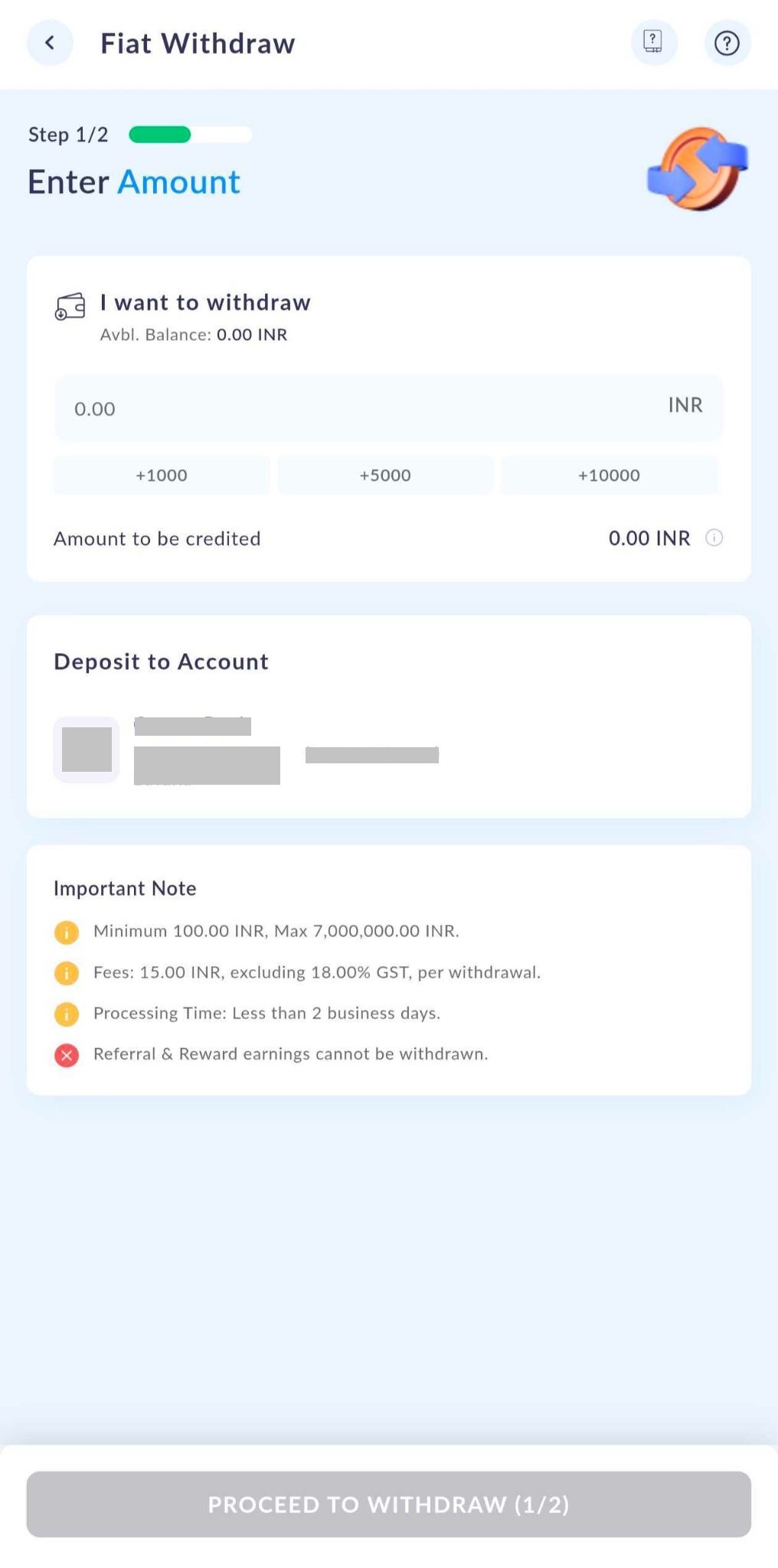
How to withdraw INR — step by step:
Just follow these simple steps and your funds will be on their way!
1. Head to your Portfolio
Open the ZebPay app, navigate to the Portfolio section, and tap on Withdraw.
2. Select Bank Withdraw
Tap the arrow next to Bank Withdraw to get started.
3. Enter your withdrawal amount
Type in the exact amount you'd like to withdraw — or simply tap a quick percentage (25%, 50%, 75%, or 100%) to use a portion of your available INR balance.
4. Choose your bank account & proceed
Select your registered bank account from the list and tap Proceed to Withdraw.
5. Review your transaction details
Take a moment to carefully review everything, then tap Continue to confirm.
6. Authenticate with your PIN
Enter your 4-digit PIN to securely authorise and place your withdrawal request.
7. You're all set!
A confirmation will appear on your app screen, and a confirmation email will be sent to your registered email address.
Important! Enabling your location access:
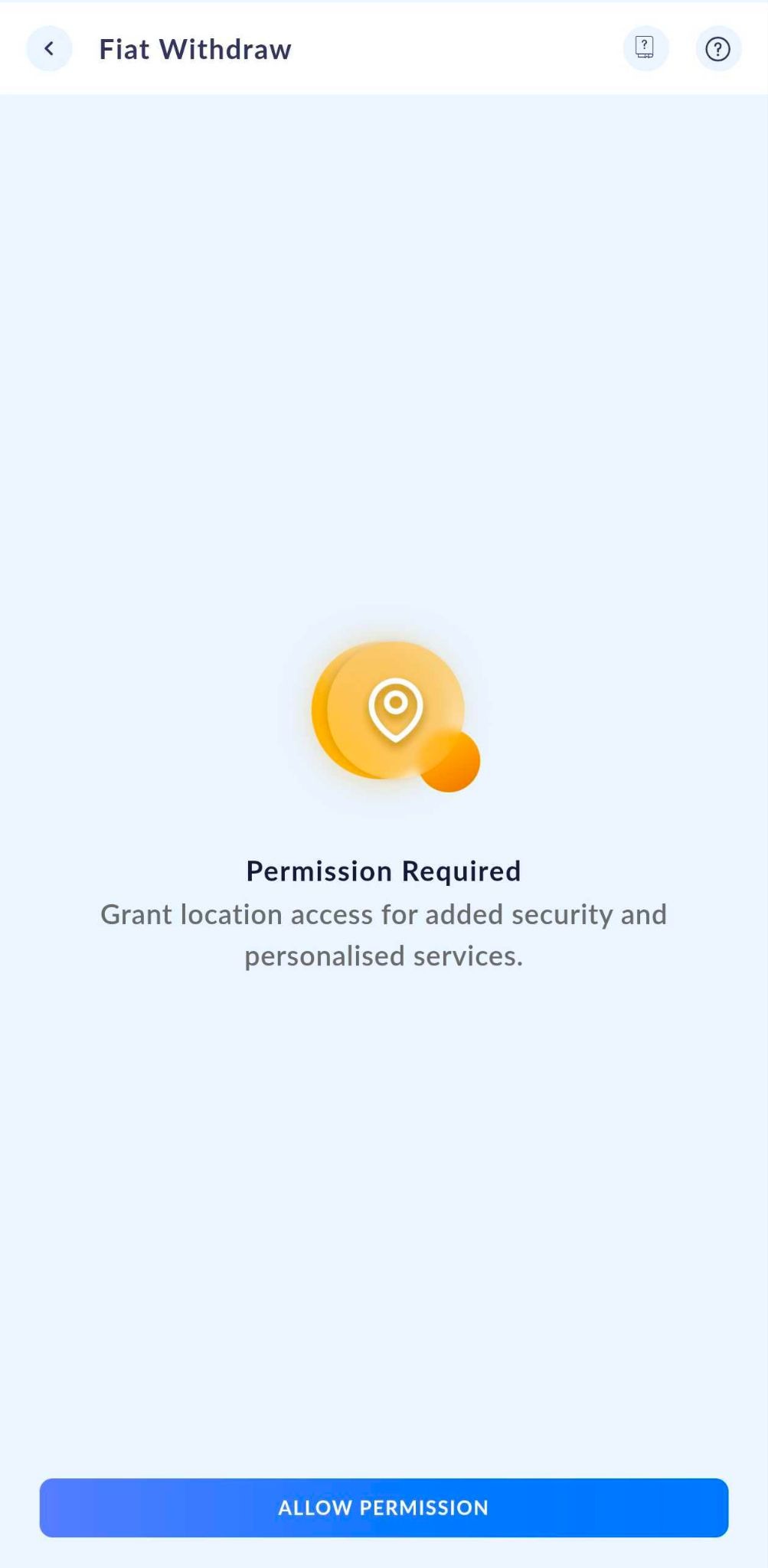
Before initiating a withdrawal, location access permission is required on your device.
Web platform users: If you're using ZebPay on a laptop or desktop, make sure location services are enabled in your browser and device settings.
A few things to keep in mind!
Minimum withdrawal: The minimum withdrawal amount is INR 100.
Processing time: INR withdrawals may take up to 2 working days to reflect in your bank account.
Fees & limits: Fees and Limits Page for the latest details.
Note: All fees are exclusive of GST. GST will be charged at 18% on applicable fees.
Images disclaimer: Screenshots in this article are for illustration purposes only. Details may change periodically.
Bank verification cooling period: There is a 24-hour cooling period after your bank account is verified, during which withdrawals cannot be initiated.
Need more help? Our support team is always here for you — don't hesitate to reach out via a support ticket!
Was this article helpful?
That’s Great!
Thank you for your feedback
Sorry! We couldn't be helpful
Thank you for your feedback
Feedback sent
We appreciate your effort and will try to fix the article